Tag: whatsapp messaging limits

  • Meta’s New Messaging Limits & Template Pacing: How to Redesign Your Campaign Strategy

    Meta’s New Messaging Limits & Template Pacing: How to Redesign Your Campaign Strategy

    Over the past year, Meta has quietly shifted the center of gravity in WhatsApp campaign execution, away from hard messaging limits and toward quality-based pacing. Most teams haven’t adjusted yet.

    You can still send high volumes, and the WhatsApp messaging limit tiers (250, 2K, 10K and up) technically still exist. But they’re no longer what controls your campaign performance. What actually decides how fast your messages go out now is quality-based pacing: Meta releases your messages in batches and watches how recipients react before sending the rest.

    If you’re running SaaS campaigns (onboarding flows, promotional pushes, retention nudges), you’ve probably noticed this already. Messages don’t all land at the same time anymore. Some users get them instantly, others hours later.

    So you no longer control delivery timing the way you used to, and if your strategy still depends on that, performance drops fast.

    What Changed in Meta’s Messaging Limits (And What Didn’t)

    The old model was easy to understand. Your messaging limit depended on your tier: 250 conversations per day, then 2,000, then 10,000, then higher as you scaled. If you wanted to grow, you focused on hitting those thresholds. You can review the current structure in Meta’s messaging limits documentation.

    You may have heard that Meta removed the 2K and 10K tiers entirely. That’s not accurate. Those tiers still exist, they’re tied to your Business Portfolio, and they technically cap your maximum sending volume. But in practice, pacing will hit you long before you approach those limits. The tiers set the ceiling; pacing controls how fast you move under it.

    Horizontal track marked with the WhatsApp messaging tiers 250, 2K, 10K, 100K and Unlimited, with a green fill reaching only to 10K and a throttle showing that pacing keeps you below your tier ceiling

    That’s the real shift. Instead of asking “How many messages can I send?”, the question now is “How fast will Meta let me deliver them?” And that depends on quality.

    How Template Pacing Actually Works

    Template pacing is Meta’s way of controlling risk. When you send a large campaign, your messages don’t all go out at once. Once you pass a sending threshold, the rest are held while Meta waits for feedback. Meta watches how users react to the messages that did go out, then either releases the held messages to the rest of your audience or, if the signals are poor, drops them and pauses the template.

    Here’s what that looks like in a real SaaS scenario. Say you’re launching a new feature and sending a campaign to 100,000 users. Instead of delivering everything instantly, Meta might send the first 5–10% and hold the rest. If that group engages well, the held messages are released and sent to the rest of your audience. If not, the remaining messages are dropped and the template is paused.

    Flow diagram showing how template pacing works: a full campaign of 100,000 users sends a first batch of 5 to 10 percent, the rest are held while Meta checks early signals like replies, reads and blocks, then a positive signal releases the held messages to the full audience, no clear signal in time releases them via a guardrail within about an hour, and a negative signal drops the remaining messages and pauses the template

    It helps to know there are two related mechanisms behind this. Template pacing applies to a single template, and it mainly affects newly created templates, recently unpaused ones, or templates that don’t yet hold a high quality rating; once a template proves itself, Meta generally stops pacing it. Portfolio pacing is the broader one, batching large campaigns across every number in your business portfolio based on your account’s recent quality history. Day to day you feel both as the same thing: messages that continue to your full audience or get held back based on how people react. (Pacing started with marketing templates and now reaches utility templates too, once you’ve had a utility template paused.)

    This is why two campaigns with the same audience size can behave completely differently. One delivers in full. The other has most of its messages held for hours.

    Why Traditional Campaign Calendars Break Under Pacing

    The classic approach was simple: pick a time, send everything, expect immediate reach. That no longer holds.

    With pacing in place, sending 100,000 messages at 9 AM doesn’t mean they arrive at 9 AM. Some users get them instantly, others much later, sometimes too late for the campaign to matter. For time-sensitive sends, that’s a real problem.

    How Poor Engagement Affects Your Other Templates

    There’s a second layer most teams miss. Pacing isn’t only about the campaign in front of you.

    If you send large campaigns to broad or low-intent audiences, engagement drops and the template’s quality rating falls with it. A low quality rating can get the template paused, and that pause has knock-on effects: a template’s quality history is one of the main reasons Meta starts pacing, so a recent pause can leave your other templates subject to pacing as well. For utility templates specifically, once you’ve had one paused, newly created, recently unpaused, or non-high-quality templates can be paced for the next seven days.

    A paused template returns to active once its quality recovers, but that isn’t instant. The practical takeaway is the same either way: weak engagement doesn’t just cost you one campaign, it can leave your account pacing templates you send afterward.

    This is especially common in lead generation flows. Import a large list and message them without strong intent signals, and you’ll likely see low reply rates, higher blocks, and a falling quality rating that puts your next templates at risk of pacing. Teams that focus on engaged users first usually see the opposite: cleaner signals and more stable scaling.

    Line chart comparing how a template's quality rating trends over five consecutive sends, where messaging broad low-intent lists trends toward a low quality rating while messaging engaged users first trends toward a high rating, both starting from the same point

    The New Campaign Strategy Framework

    Start with Warm-Up and High-Intent Segments

    Warm-up used to be optional. Now it directly affects how smoothly you can scale. Before sending large campaigns, build a strong engagement baseline by starting with the users most likely to interact.

    In SaaS, that usually means active users, recent signups, and people already engaged on WhatsApp.

    A simple example: when launching a new feature, don’t start with your entire database. Start with users who recently used related features or opened previous messages, and let that group generate strong signals first. Once the template holds a high quality rating, it’s far less likely to be paced when you send to broader segments.

    Use Segments to Keep Control of Pacing

    Send one large campaign to your entire audience and you hand Meta full control over pacing. Split your audience into smaller segments and you manage how campaigns roll out.

    The logic is simple: smaller segments mean more predictable delivery, and better engagement per segment means more stable scaling.

    For SaaS, this usually means separating users by lifecycle stage: trial users, paying customers, inactive users. Each group behaves differently, and sending them separately improves both engagement and pacing.

    Optimize for Engagement Signals

    At this point, volume is no longer the main growth lever. Engagement is.

    Templates that users interact with hold a high quality rating, and a high-quality template is far less likely to be paced, which keeps your delivery predictable.

    This is where WhatsApp differs from a channel like email. It’s conversational, and users expect relevant, timely messages. A support or onboarding flow that invites replies (“Do you need help setting this up?”) often outperforms a one-way promotional blast, both in engagement and in keeping your templates clear of pacing.

    How to Work With Template Pacing

    Trying to push everything at once is what gets campaigns held up.

    A better approach is to treat every large send as a controlled rollout. Instead of leaving every decision to Meta, you guide the process by breaking campaigns into intentional batches.

    In practice, you don’t queue your entire audience at once. You start with a smaller group, let that batch generate engagement, then expand.

    This gives you two advantages. You reduce the risk of your whole campaign being held at once, and you get early feedback before committing to full scale.

    Teams running retention campaigns do this well. They start with their most engaged users, confirm the message lands, and only then move to broader segments. The campaign reaches more people, with fewer messages held, because it works with pacing instead of against it.

    Let Early Performance Guide Scale

    If early engagement is strong, Meta releases the held messages to your full audience. If it’s weak, the remaining messages are dropped and the template is paused before you’ve reached most of your audience.

    So instead of locking your campaign upfront, watch what happens early and adjust. Pay attention to how users react within the first batch. If replies and clicks come in quickly, you can safely expand. If they don’t, it’s better to pause, adjust the message, or switch segments before continuing.

    One pattern that works well in SaaS is starting with a proven message, something that already performed in onboarding or retention, and only testing new angles after you’ve established strong initial signals. It’s less risky and keeps delivery stable, and it matters because pacing leans hardest on new and unproven templates.

    Rethinking Your Messaging Calendar

    The idea of a single “send time” matters less now. Because delivery is spread out, campaigns behave more like flows than one-time events. Messages are distributed over a period based on performance, and that changes how you plan.

    Rather than building campaigns around exact dates, it’s more effective to think in windows. A promotion doesn’t live in a single moment anymore; it runs across a controlled timeframe, letting pacing work without breaking the experience.

    This is especially important for SaaS lifecycle messaging. Onboarding, activation, and retention campaigns already depend on timing relative to user behavior, so moving to rolling campaigns aligns better with how users actually interact.

    Plan Campaigns in Waves

    Once you accept that delivery is gradual, the structure of your campaigns gets clearer. Instead of one large send, you design waves. Each wave targets a different level of user intent and builds on the performance of the one before it.

    A typical flow looks like this:

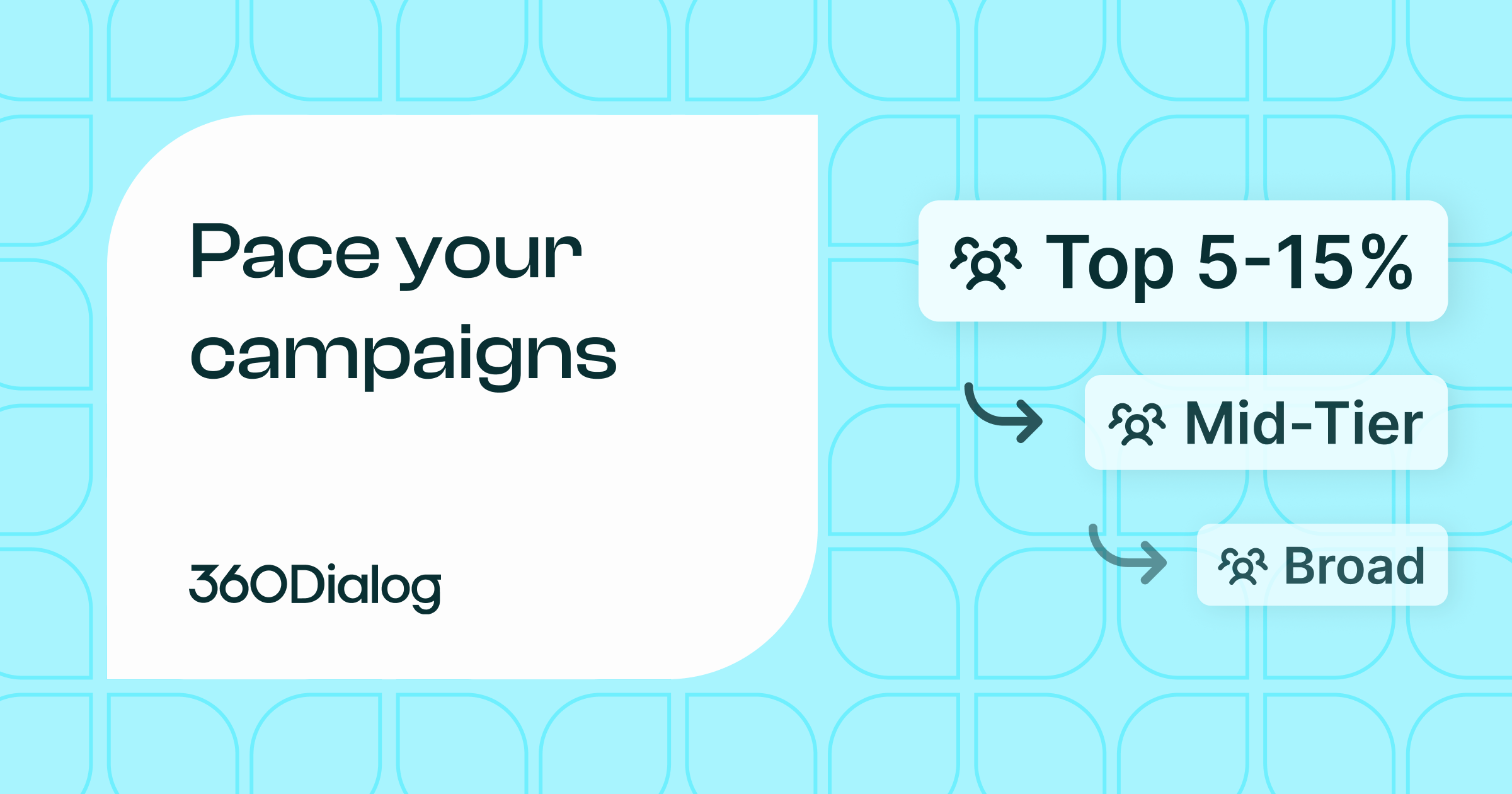
    • Wave 1: your most engaged users, roughly the top 5–15% of your audience (recent signups, active accounts, recent openers).
    • Wave 2: a warmer mid-tier segment, sent once Wave 1 shows strong signals.
    • Wave 3: the broader or colder list, only after the earlier waves hold up.
    Diagram of three campaign waves of increasing audience size, where Wave 1 targets the most engaged users (top 5 to 15 percent), Wave 2 a warm mid-tier, and Wave 3 the broader, colder list, with each wave unlocking only after strong engagement signals from the previous one

    The 5–15% starting point is a guideline, not a rule. Adjust it based on your total audience size and how confident you are in the message. For a new or untested template, err toward the lower end.

    Tools and Infrastructure That Make This Possible

    Managing pacing manually doesn’t hold up once you’re sending at scale.

    You need visibility into how campaigns perform while they’re running, not after they finish, plus the ability to adjust quickly, whether that’s changing segments, switching templates, or controlling rollout speed.

    Across 1.5B+ messages processed monthly, the pattern is consistent: campaigns that segment for control outperform broad sends in both delivery consistency and reply rates. That kind of data is what separates platforms built for performance messaging from generic broadcast tools.

    With 360Dialog, you get real-time delivery monitoring, segment-level pacing visibility, and a template performance dashboard that shows how each message is tracking while the campaign is still running, not in a post-send report. You can see the signals and react before held messages turn into a paused template. There’s more detail on how messaging limits interact with pacing in the 360Dialog messaging limits documentation.

    Building a Scalable WhatsApp Stack

    The infrastructure behind your messaging matters more than before. At a minimum, you need a setup that lets you manage templates, track engagement, and integrate messaging into your existing workflows. Without that, adapting to pacing becomes slow and reactive.

    Modern WhatsApp business solutions are built around this reality. They’re designed to handle high-volume messaging while giving you the control to work with pacing instead of against it.

    Extending Capabilities with Integrations

    Messaging doesn’t work in isolation. To get consistent results, your WhatsApp campaigns need to connect with your product data, CRM, and automation tools. That’s what lets you segment properly and trigger messages based on real user behavior.

    With the right WhatsApp tools and integrations, you can move from static campaigns to dynamic messaging, where users receive messages based on what they do, not just when you decide to send.

    Common Mistakes to Avoid

    Most pacing problems don’t come from the system itself. They come from how campaigns are structured.

    • Pushing too much volume too quickly. It looks efficient, but it usually gets your messages held and produces weaker results.
    • Ignoring engagement signals. If users aren’t interacting, your template’s quality rating drops, which can get it paced or paused, and a pause can affect the other templates you send afterward.
    • Treating WhatsApp like email. Broadcast thinking leads to generic messaging, generic messaging leads to low engagement, and on this channel that directly limits your ability to scale.

    FAQ

    Are WhatsApp messaging limits still 2K and 10K?

    Yes. Those tiers still exist and are tied to your Business Portfolio. They set a technical ceiling on how many conversations you can open per day. In day-to-day execution, though, you’ll usually hit pacing restrictions well before you reach those ceilings. Think of the tiers as the outer boundary and pacing as the factor that governs how fast you move within it.

    What is template pacing?

    Template pacing is Meta’s system for controlling delivery. Instead of sending everything at once, it holds messages past a threshold and waits for feedback on the ones already delivered. Positive feedback releases the held messages to your full audience; negative feedback drops them and pauses the template. It applies per template and leans hardest on new, unpaused, or lower-quality templates.

    How long does template pacing typically last for a campaign?

    It depends on campaign size and early engagement. Meta has internal guardrails meant to keep pacing from stalling time-sensitive campaigns; its stated goal is that even paced campaigns with the highest throughput are delivered within an hour (99th percentile). If a template gets a clear positive or negative signal before that, the held messages are either released to your full audience or dropped and the template paused. If the guardrail window is reached before enough feedback comes in, the held messages are released normally. Structuring campaigns in waves gives you more control over the timeline.

    What engagement signals indicate positive quality to Meta?

    The most important are reply rate and block rate. A healthy reply rate (even 5–10% on a broadcast-style message) signals genuine interest. High block rates are the signal Meta weighs most heavily on the negative side. Read receipts and link clicks contribute too, but blocks have an outsized negative impact. Meta doesn’t publish exact thresholds, so treat any specific percentage as a rule of thumb rather than a hard line. If delivery slows mid-campaign, block rate is usually the first place to look.

    How do you increase messaging limits?

    In practice, you don’t scale by unlocking higher tiers alone. You do it by improving engagement quality over time. Strong reply rates, low block rates, and consistent positive interaction signal to Meta that your messages are welcome, which keeps your templates clear of pacing and your delivery stable. Tier upgrades follow that track record rather than being a prerequisite for it. The fastest path to higher effective throughput is better message relevance and audience targeting, not chasing tier thresholds directly.