Tag: Lead generation

  • Meta’s New Messaging Limits & Template Pacing: How to Redesign Your Campaign Strategy

    Meta’s New Messaging Limits & Template Pacing: How to Redesign Your Campaign Strategy

    Over the past year, Meta has quietly shifted the center of gravity in WhatsApp campaign execution, away from hard messaging limits and toward quality-based pacing. Most teams haven’t adjusted yet.

    You can still send high volumes, and the WhatsApp messaging limit tiers (250, 2K, 10K and up) technically still exist. But they’re no longer what controls your campaign performance. What actually decides how fast your messages go out now is quality-based pacing: Meta releases your messages in batches and watches how recipients react before sending the rest.

    If you’re running SaaS campaigns (onboarding flows, promotional pushes, retention nudges), you’ve probably noticed this already. Messages don’t all land at the same time anymore. Some users get them instantly, others hours later.

    So you no longer control delivery timing the way you used to, and if your strategy still depends on that, performance drops fast.

    What Changed in Meta’s Messaging Limits (And What Didn’t)

    The old model was easy to understand. Your messaging limit depended on your tier: 250 conversations per day, then 2,000, then 10,000, then higher as you scaled. If you wanted to grow, you focused on hitting those thresholds. You can review the current structure in Meta’s messaging limits documentation.

    You may have heard that Meta removed the 2K and 10K tiers entirely. That’s not accurate. Those tiers still exist, they’re tied to your Business Portfolio, and they technically cap your maximum sending volume. But in practice, pacing will hit you long before you approach those limits. The tiers set the ceiling; pacing controls how fast you move under it.

    Horizontal track marked with the WhatsApp messaging tiers 250, 2K, 10K, 100K and Unlimited, with a green fill reaching only to 10K and a throttle showing that pacing keeps you below your tier ceiling

    That’s the real shift. Instead of asking “How many messages can I send?”, the question now is “How fast will Meta let me deliver them?” And that depends on quality.

    How Template Pacing Actually Works

    Template pacing is Meta’s way of controlling risk. When you send a large campaign, your messages don’t all go out at once. Once you pass a sending threshold, the rest are held while Meta waits for feedback. Meta watches how users react to the messages that did go out, then either releases the held messages to the rest of your audience or, if the signals are poor, drops them and pauses the template.

    Here’s what that looks like in a real SaaS scenario. Say you’re launching a new feature and sending a campaign to 100,000 users. Instead of delivering everything instantly, Meta might send the first 5–10% and hold the rest. If that group engages well, the held messages are released and sent to the rest of your audience. If not, the remaining messages are dropped and the template is paused.

    Flow diagram showing how template pacing works: a full campaign of 100,000 users sends a first batch of 5 to 10 percent, the rest are held while Meta checks early signals like replies, reads and blocks, then a positive signal releases the held messages to the full audience, no clear signal in time releases them via a guardrail within about an hour, and a negative signal drops the remaining messages and pauses the template

    It helps to know there are two related mechanisms behind this. Template pacing applies to a single template, and it mainly affects newly created templates, recently unpaused ones, or templates that don’t yet hold a high quality rating; once a template proves itself, Meta generally stops pacing it. Portfolio pacing is the broader one, batching large campaigns across every number in your business portfolio based on your account’s recent quality history. Day to day you feel both as the same thing: messages that continue to your full audience or get held back based on how people react. (Pacing started with marketing templates and now reaches utility templates too, once you’ve had a utility template paused.)

    This is why two campaigns with the same audience size can behave completely differently. One delivers in full. The other has most of its messages held for hours.

    Why Traditional Campaign Calendars Break Under Pacing

    The classic approach was simple: pick a time, send everything, expect immediate reach. That no longer holds.

    With pacing in place, sending 100,000 messages at 9 AM doesn’t mean they arrive at 9 AM. Some users get them instantly, others much later, sometimes too late for the campaign to matter. For time-sensitive sends, that’s a real problem.

    How Poor Engagement Affects Your Other Templates

    There’s a second layer most teams miss. Pacing isn’t only about the campaign in front of you.

    If you send large campaigns to broad or low-intent audiences, engagement drops and the template’s quality rating falls with it. A low quality rating can get the template paused, and that pause has knock-on effects: a template’s quality history is one of the main reasons Meta starts pacing, so a recent pause can leave your other templates subject to pacing as well. For utility templates specifically, once you’ve had one paused, newly created, recently unpaused, or non-high-quality templates can be paced for the next seven days.

    A paused template returns to active once its quality recovers, but that isn’t instant. The practical takeaway is the same either way: weak engagement doesn’t just cost you one campaign, it can leave your account pacing templates you send afterward.

    This is especially common in lead generation flows. Import a large list and message them without strong intent signals, and you’ll likely see low reply rates, higher blocks, and a falling quality rating that puts your next templates at risk of pacing. Teams that focus on engaged users first usually see the opposite: cleaner signals and more stable scaling.

    Line chart comparing how a template's quality rating trends over five consecutive sends, where messaging broad low-intent lists trends toward a low quality rating while messaging engaged users first trends toward a high rating, both starting from the same point

    The New Campaign Strategy Framework

    Start with Warm-Up and High-Intent Segments

    Warm-up used to be optional. Now it directly affects how smoothly you can scale. Before sending large campaigns, build a strong engagement baseline by starting with the users most likely to interact.

    In SaaS, that usually means active users, recent signups, and people already engaged on WhatsApp.

    A simple example: when launching a new feature, don’t start with your entire database. Start with users who recently used related features or opened previous messages, and let that group generate strong signals first. Once the template holds a high quality rating, it’s far less likely to be paced when you send to broader segments.

    Use Segments to Keep Control of Pacing

    Send one large campaign to your entire audience and you hand Meta full control over pacing. Split your audience into smaller segments and you manage how campaigns roll out.

    The logic is simple: smaller segments mean more predictable delivery, and better engagement per segment means more stable scaling.

    For SaaS, this usually means separating users by lifecycle stage: trial users, paying customers, inactive users. Each group behaves differently, and sending them separately improves both engagement and pacing.

    Optimize for Engagement Signals

    At this point, volume is no longer the main growth lever. Engagement is.

    Templates that users interact with hold a high quality rating, and a high-quality template is far less likely to be paced, which keeps your delivery predictable.

    This is where WhatsApp differs from a channel like email. It’s conversational, and users expect relevant, timely messages. A support or onboarding flow that invites replies (“Do you need help setting this up?”) often outperforms a one-way promotional blast, both in engagement and in keeping your templates clear of pacing.

    How to Work With Template Pacing

    Trying to push everything at once is what gets campaigns held up.

    A better approach is to treat every large send as a controlled rollout. Instead of leaving every decision to Meta, you guide the process by breaking campaigns into intentional batches.

    In practice, you don’t queue your entire audience at once. You start with a smaller group, let that batch generate engagement, then expand.

    This gives you two advantages. You reduce the risk of your whole campaign being held at once, and you get early feedback before committing to full scale.

    Teams running retention campaigns do this well. They start with their most engaged users, confirm the message lands, and only then move to broader segments. The campaign reaches more people, with fewer messages held, because it works with pacing instead of against it.

    Let Early Performance Guide Scale

    If early engagement is strong, Meta releases the held messages to your full audience. If it’s weak, the remaining messages are dropped and the template is paused before you’ve reached most of your audience.

    So instead of locking your campaign upfront, watch what happens early and adjust. Pay attention to how users react within the first batch. If replies and clicks come in quickly, you can safely expand. If they don’t, it’s better to pause, adjust the message, or switch segments before continuing.

    One pattern that works well in SaaS is starting with a proven message, something that already performed in onboarding or retention, and only testing new angles after you’ve established strong initial signals. It’s less risky and keeps delivery stable, and it matters because pacing leans hardest on new and unproven templates.

    Rethinking Your Messaging Calendar

    The idea of a single “send time” matters less now. Because delivery is spread out, campaigns behave more like flows than one-time events. Messages are distributed over a period based on performance, and that changes how you plan.

    Rather than building campaigns around exact dates, it’s more effective to think in windows. A promotion doesn’t live in a single moment anymore; it runs across a controlled timeframe, letting pacing work without breaking the experience.

    This is especially important for SaaS lifecycle messaging. Onboarding, activation, and retention campaigns already depend on timing relative to user behavior, so moving to rolling campaigns aligns better with how users actually interact.

    Plan Campaigns in Waves

    Once you accept that delivery is gradual, the structure of your campaigns gets clearer. Instead of one large send, you design waves. Each wave targets a different level of user intent and builds on the performance of the one before it.

    A typical flow looks like this:

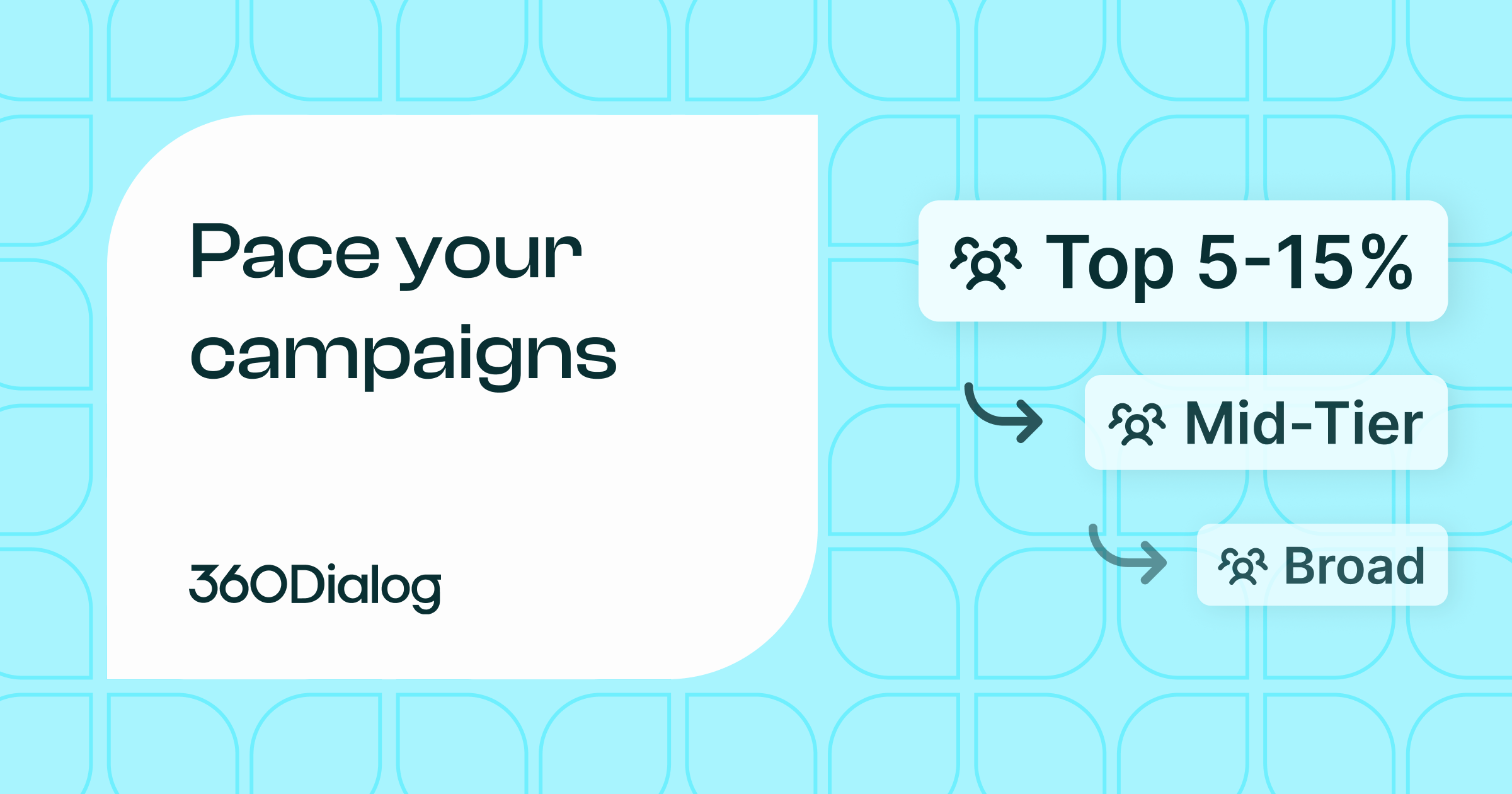
    • Wave 1: your most engaged users, roughly the top 5–15% of your audience (recent signups, active accounts, recent openers).
    • Wave 2: a warmer mid-tier segment, sent once Wave 1 shows strong signals.
    • Wave 3: the broader or colder list, only after the earlier waves hold up.
    Diagram of three campaign waves of increasing audience size, where Wave 1 targets the most engaged users (top 5 to 15 percent), Wave 2 a warm mid-tier, and Wave 3 the broader, colder list, with each wave unlocking only after strong engagement signals from the previous one

    The 5–15% starting point is a guideline, not a rule. Adjust it based on your total audience size and how confident you are in the message. For a new or untested template, err toward the lower end.

    Tools and Infrastructure That Make This Possible

    Managing pacing manually doesn’t hold up once you’re sending at scale.

    You need visibility into how campaigns perform while they’re running, not after they finish, plus the ability to adjust quickly, whether that’s changing segments, switching templates, or controlling rollout speed.

    Across 1.5B+ messages processed monthly, the pattern is consistent: campaigns that segment for control outperform broad sends in both delivery consistency and reply rates. That kind of data is what separates platforms built for performance messaging from generic broadcast tools.

    With 360Dialog, you get real-time delivery monitoring, segment-level pacing visibility, and a template performance dashboard that shows how each message is tracking while the campaign is still running, not in a post-send report. You can see the signals and react before held messages turn into a paused template. There’s more detail on how messaging limits interact with pacing in the 360Dialog messaging limits documentation.

    Building a Scalable WhatsApp Stack

    The infrastructure behind your messaging matters more than before. At a minimum, you need a setup that lets you manage templates, track engagement, and integrate messaging into your existing workflows. Without that, adapting to pacing becomes slow and reactive.

    Modern WhatsApp business solutions are built around this reality. They’re designed to handle high-volume messaging while giving you the control to work with pacing instead of against it.

    Extending Capabilities with Integrations

    Messaging doesn’t work in isolation. To get consistent results, your WhatsApp campaigns need to connect with your product data, CRM, and automation tools. That’s what lets you segment properly and trigger messages based on real user behavior.

    With the right WhatsApp tools and integrations, you can move from static campaigns to dynamic messaging, where users receive messages based on what they do, not just when you decide to send.

    Common Mistakes to Avoid

    Most pacing problems don’t come from the system itself. They come from how campaigns are structured.

    • Pushing too much volume too quickly. It looks efficient, but it usually gets your messages held and produces weaker results.
    • Ignoring engagement signals. If users aren’t interacting, your template’s quality rating drops, which can get it paced or paused, and a pause can affect the other templates you send afterward.
    • Treating WhatsApp like email. Broadcast thinking leads to generic messaging, generic messaging leads to low engagement, and on this channel that directly limits your ability to scale.

    FAQ

    Are WhatsApp messaging limits still 2K and 10K?

    Yes. Those tiers still exist and are tied to your Business Portfolio. They set a technical ceiling on how many conversations you can open per day. In day-to-day execution, though, you’ll usually hit pacing restrictions well before you reach those ceilings. Think of the tiers as the outer boundary and pacing as the factor that governs how fast you move within it.

    What is template pacing?

    Template pacing is Meta’s system for controlling delivery. Instead of sending everything at once, it holds messages past a threshold and waits for feedback on the ones already delivered. Positive feedback releases the held messages to your full audience; negative feedback drops them and pauses the template. It applies per template and leans hardest on new, unpaused, or lower-quality templates.

    How long does template pacing typically last for a campaign?

    It depends on campaign size and early engagement. Meta has internal guardrails meant to keep pacing from stalling time-sensitive campaigns; its stated goal is that even paced campaigns with the highest throughput are delivered within an hour (99th percentile). If a template gets a clear positive or negative signal before that, the held messages are either released to your full audience or dropped and the template paused. If the guardrail window is reached before enough feedback comes in, the held messages are released normally. Structuring campaigns in waves gives you more control over the timeline.

    What engagement signals indicate positive quality to Meta?

    The most important are reply rate and block rate. A healthy reply rate (even 5–10% on a broadcast-style message) signals genuine interest. High block rates are the signal Meta weighs most heavily on the negative side. Read receipts and link clicks contribute too, but blocks have an outsized negative impact. Meta doesn’t publish exact thresholds, so treat any specific percentage as a rule of thumb rather than a hard line. If delivery slows mid-campaign, block rate is usually the first place to look.

    How do you increase messaging limits?

    In practice, you don’t scale by unlocking higher tiers alone. You do it by improving engagement quality over time. Strong reply rates, low block rates, and consistent positive interaction signal to Meta that your messages are welcome, which keeps your templates clear of pacing and your delivery stable. Tier upgrades follow that track record rather than being a prerequisite for it. The fastest path to higher effective throughput is better message relevance and audience targeting, not chasing tier thresholds directly.

  • The 72-Hour Click-to-WhatsApp Ad Window: A Performance Playbook

    The 72-Hour Click-to-WhatsApp Ad Window: A Performance Playbook

    If you’re running Click to WhatsApp ads, you’re unlocking a time-bound engagement window that can dramatically shift your acquisition economics.

    Most teams treat CTWA like a simple traffic channel. They optimize for CPC, maybe cost per conversation, and stop there. But that’s a mistake.

    The real leverage sits after the click.

    When a user enters WhatsApp through a CTWA ad, you get access to a 72-hour free entry point window. During this period, you can engage, qualify, and convert leads without paying for any outbound messaging, including template messages of every category. For performance-focused teams, this becomes one of the biggest optimization levers in the entire WhatsApp funnel.

    Yet, very few brands structure their campaigns around it. Instead, they either burn the window with weak first messages or switch too early to paid messaging.

    This guide breaks down how to approach Click to WhatsApp ads optimization from a systems perspective, not just ad performance, but conversation design, timing, and cost control. If you’re responsible for growth, paid acquisition, or lifecycle marketing, this is where WhatsApp starts behaving less like a messaging app and more like a high-converting revenue channel.

    What Are Click-to-WhatsApp Ads (CTWA) and How They Work

    At a high level, Click to WhatsApp ads (CTWA) are Meta ads that send users directly into a WhatsApp conversation instead of a landing page.

    That shift sounds simple. In practice, it changes how your entire funnel behaves.

    Instead of forcing users through forms, pages, and delayed follow-ups, you’re moving the interaction into a real-time, conversational environment, one where intent is often higher and drop-off is lower.

    What Happens After a User Clicks a CTWA Ad

    Here’s what actually happens under the hood:

    1. A user clicks your ad (Facebook or Instagram)
    2. WhatsApp opens instantly with a pre-filled or triggered message
    3. The user sends a message
    4. A conversation starts and this is where optimization begins

    If you respond within 24 hours, that reply opens a 72-hour free entry point window. This is critical.

    Unlike traditional funnels where every follow-up has a cost (email tools, SMS, retargeting ads), WhatsApp lets you send messages, qualify leads, and guide users toward conversion without paying for outbound messaging during this period.

    CTWA vs Traditional Conversion Funnels

    A typical paid acquisition funnel looks like this:

    Ad → Landing Page → Form → Email/Sales Follow-up

    Each step introduces friction: page load time, form fatigue, delayed response.

    With CTWA, the flow becomes:

    Ad → WhatsApp → Conversation → Conversion

    Comparison diagram showing the traditional funnel (Ad, Landing page, Form, Email follow-up) with friction at each step versus the click-to-WhatsApp funnel (Ad, WhatsApp, Conversation, Conversion) with real-time, higher-intent engagement

    Key differences: no page dependency, immediate interaction, higher intent signals (user-initiated chat).

    For SaaS companies, this is especially powerful in use cases like demo booking, lead qualification, pricing inquiries, and high-ticket onboarding flows. Instead of sending traffic to a static page, you’re effectively dropping prospects into a guided sales conversation.

    Where CTWA Fits in the WhatsApp Funnel

    CTWA is the top-of-funnel entry point into a messaging-first growth system. From there, your funnel expands into real-time qualification (inside chat), nurturing within the 72-hour window, and transition to longer-term messaging (if needed).

    This is where infrastructure starts to matter. Teams that scale this channel typically rely on platforms like 360Dialog to access the WhatsApp API and automate conversations, route leads, and integrate with CRM systems. Without that layer, CTWA stays a manual channel. With it, it becomes a predictable acquisition engine.

    If you would rather have campaigns managed end to end, 360Dialog’s Performance Messaging is built around exactly this CTWA-to-conversion motion, and 360Pilot gives you the WhatsApp analytics to see what the 72-hour window is actually returning.

    WhatsApp Pricing & Conversation Types

    This is where most teams get it wrong. They treat WhatsApp like email or SMS and miss how pricing actually impacts performance. Once you understand the structure, the 72 hour WhatsApp window stops being a nice-to-have and becomes something you actively design your funnel around.

    Free Entry Point Window (72h) Explained

    When a user reaches you through a CTWA ad (or a call-to-action button on a Facebook Page) and you respond within 24 hours, your reply opens a 72-hour free entry point window. One condition is easy to miss: the user has to start the conversation from the WhatsApp app on Android or iOS. Conversations opened from WhatsApp web or desktop do not qualify for the free entry point.

    During this window, every message you send is free, including template messages of any category, whether marketing, utility, or authentication. This is what makes CTWA so effective: you get a time-limited opportunity to move the lead forward at no additional messaging cost.

    Most brands underuse this window. The ones that scale treat it like a structured sequence, not a one-off reply.

    Customer Service Window (24h) Explained

    Separate from the 72-hour window, there’s also a 24-hour customer service window. This one is triggered when the user sends a message on their own, outside of an ad click scenario.

    Once that happens, you can respond freely with free-form messages for 24 hours. Every time the user replies, the timer resets. It’s important not to confuse this with CTWA. The 72-hour window comes from paid acquisition, while the 24-hour window comes from user-initiated interaction.

    One nuance that often catches SaaS teams off guard: utility templates (such as order confirmations, appointment reminders, or account updates) can be sent free of charge if an active 24-hour customer service window is open. The same template sent outside that window becomes a paid message. Keep that distinction in mind when planning your follow-up sequences.

    There is one important interaction between the two windows. The customer service window runs independently of the free entry point window. Even while the 72-hour free entry point window is still open, free-form (non-template) messages depend on an active 24-hour customer service window. If that 24-hour window closes, you can no longer send free-form messages, only templates, until the user messages you again.

    Side-by-side comparison of the 72-hour free entry point window, which opens when you reply within 24 hours of a CTWA click and lets you send any message free including every template category, and the 24-hour customer service window, which opens when a user messages first and resets on every new user reply

    When Messages Are Free vs Paid

    Here’s the part that directly affects your CAC: 

    Messages are free when:

    • You send any message inside the 72-hour free entry point window
    • You send free-form replies inside the 24-hour customer service window
    • You send utility templates inside the 24-hour customer service window

    Messages become paid when:

    • You send a marketing template, which is free only inside a free entry point window
    • You send a template outside any active window
    • You send an authentication template (e.g. OTPs, login codes), which is free only inside a free entry point window
    Two-column comparison of when WhatsApp messages are free (any message inside the 72-hour free entry point window, free-form replies and utility templates inside the 24-hour service window) versus paid (marketing and authentication templates outside a free entry point window, any template outside an active window), with a note that authentication and marketing templates are free only inside the 72-hour window

    A note on authentication templates: These are a separate pricing category from marketing templates. Authentication messages  (OTPs, login codes, verification codes) are charged per delivered template, even if the user never acts on them. The 24-hour customer service window does not make them free. The only window where authentication templates are free is the 72-hour free entry point window.

    That distinction is what drives strategy. If you push users to convert inside the free windows, your cost per acquisition drops. If you rely on paid re-engagement too early, your costs increase quickly.

    Real Example of Conversation Charging Scenarios

    Let’s put this into a realistic SaaS scenario: A user clicks your CTWA ad and asks about pricing. From that moment, you have 72 hours to qualify the lead and then share relevant information and guide them toward booking a demo. All of that can happen without triggering paid marketing messages.

    If the user replies again after a few hours, your 24-hour customer service window keeps extending your ability to respond freely.

    Now compare that to a different flow. If you wait a few days and then send a promotional message like “Book your demo now,” you’re no longer inside a free window. That message is charged as a marketing template.

    This is why timing matters more than volume. Teams that understand this don’t just send more messages; they send the right messages at the right time, while the conversation is still working in their favor.

    Why the 72-Hour Window Is One of the Biggest Performance Levers

    Once you understand how WhatsApp pricing works, the role of the 72-hour WhatsApp window becomes very clear.

    Rather than just generating conversations, you’re controlling when those conversations cost you money. Most paid channels front-load the cost. You pay for the click, then you pay again to re-engage. Retargeting, email tools, SMS, everything adds up.

    With CTWA, the dynamic shifts. You pay to start the conversation, and then you get a 72-hour window to move that lead forward without additional messaging cost. That creates a very different optimization model. Instead of thinking in terms of “cost per lead,” you start thinking in terms of “cost per fully worked conversation.”

    Cost Implications for Scaling Campaigns

    At scale, this directly impacts CAC. If your team consistently converts users inside the 72-hour window, you reduce the need for paid retargeting campaigns, marketing templates, and external nurture channels.

    The result is a cleaner funnel: Ad spend → Conversation → Conversion, with no additional layers of paid re-engagement.

    On the flip side, if conversations stall and you rely on paid templates to revive them, your costs start stacking quickly. That’s why high-performing teams treat the 72-hour window as a conversion environment, not just a messaging phase.

    How to Maximize the 72-Hour CTWA Window

    Once the fundamentals are clear, Click to WhatsApp ads optimization becomes less about tweaking ads and more about designing a system that carries the user from click to conversion within that 72-hour window. It is basically a sequence, not a single interaction.

    Five-step sequence for maximizing the 72-hour CTWA window: ad-level optimization, first message strategy, conversation flow design, timing within the window, and transition to paid messaging

    Step 1 – Ad-Level Optimization

    Everything starts before the conversation even begins. The quality of your CTWA traffic determines how much work your messaging needs to do later.

    High-performing campaigns usually pre-qualify in the ad (pricing cues, use cases, audience clarity), set expectations (“Chat with us to get X“), and attract users who are ready to engage, not just browse.

    For example, a SaaS company offering a WhatsApp integration might run ads that explicitly target:

    • “Book a WhatsApp demo in 2 minutes”
    • “Talk to an expert about scaling WhatsApp campaigns”

    This reduces low-intent clicks and improves downstream conversion inside the chat.

    Step 2 – First Message Strategy

    The first message is where most of the leverage sits. If the conversation starts with a generic “Hi, how can we help?”, you’re forcing the user to do the work.

    Instead, strong setups guide the interaction immediately:

    • Ask a qualifying question
    • Offer clear options
    • Give the user a reason to respond

    Something as simple as: “Are you looking to generate leads or support existing customers?” can split your flow and move users into the right path instantly.

    Step 3 – Conversation Flow Design

    Once the user replies, your goal is to keep momentum. This is where structured flows outperform manual chatting.

    Effective flows break the conversation into small steps, provide quick wins (answers, insights, options), and remove friction from decision-making. For SaaS, this often looks like: Qualification → Use case → Suggested solution → Call to action (demo, trial, etc.).

    Teams that scale this typically rely on automation layers connected to the WhatsApp API, so conversations don’t depend on manual responses.

    Step 4 – Timing Strategy Inside the 72h Window

    Timing is where most performance is gained or lost. You don’t want to front-load everything into the first interaction. At the same time, you can’t afford to wait too long. A simple structure that works well:

    • Immediate response (within minutes)
    • Follow-up within a few hours if no reply
    • Second follow-up the next day with added context or value

    The key is to stay present without becoming intrusive. Because you’re still inside the free window, each touchpoint is an opportunity, not a cost.

    Step 5 – Transitioning to Paid Messaging

    Not every user converts within 72 hours. At some point, you’ll need to decide whether to let the conversation drop or re-engage using paid templates.

    This is where segmentation matters. Users who showed high intent (asked questions, engaged deeply) are good candidates for paid follow-ups. Users who barely interacted usually aren’t. The mistake most teams make is treating all conversations the same. The better approach is to qualify during the free window, then selectively invest in re-engagement where it makes sense.

    Advanced Tactics Most Brands Miss

    Once the basics are in place, the real gains come from how you structure conversations over time. Most brands stop at respond and follow up. The ones that scale treat the 72-hour WhatsApp window like a controlled environment for testing, segmentation, and qualification.

    Using Free Windows for Lead Qualification

    Instead of sending traffic to a form, you can qualify leads directly inside WhatsApp. This gives you better data, faster. You can ask about company size, use case, budget range, and timeline, and adapt the flow in real time. By the time a user reaches your sales team, they’re already filtered and contextualized.

    Building Retargeting Pools from CTWA Conversations

    Every interaction inside WhatsApp is a signal. Users who clicked but didn’t reply, replied but didn’t convert, or asked specific questions can all be segmented and pushed into different retargeting strategies. You can align messaging with what already happened in the conversation: this is where CTWA starts connecting with your broader paid media system.

    When to Introduce Marketing Templates Without Killing ROI

    Paid templates aren’t the problem. Poor timing is.

    If you jump into marketing messages too early, you’re paying for something that could have been handled inside the free window. But if you wait too long, you lose momentum.

    The balance usually looks like this: use the 72-hour window to qualify and engage, identify high-intent users, then re-engage selectively with paid messaging. Done right, this keeps your costs controlled while extending the lifecycle of high-quality leads.

    What You Need to Execute This Properly

    At a small scale, you can run CTWA campaigns manually. At any meaningful volume, that breaks quickly. Messages get delayed, leads get missed, and conversations lose context.

    Why You Need WhatsApp API

    The standard WhatsApp Business app isn’t built for scale. It lacks automation, CRM integration, conversation routing, and performance tracking.

    With WhatsApp API access, you can automate responses, build conversation logic, route leads to the right team members, sync data with your CRM, and track performance by segment. That’s the infrastructure shift that makes everything covered in this guide executable at scale.

    Automation & CRM Integrations

    Once you have API access, the next step is connecting it to your stack, typically your CRM (HubSpot, Salesforce, etc.), marketing automation, and analytics tools. The goal is straightforward: every conversation becomes structured data, and that data feeds back into your optimization loop.

    Choosing the Right WhatsApp Partner Platform

    To run CTWA campaigns efficiently, most businesses rely on an official WhatsApp partner platform like 360Dialog. 

    This gives you direct API access, more control over messaging flows, and better scalability. From there, you can explore broader WhatsApp solutions depending on your use case, and measure performance more accurately using tools focused on WhatsApp ROI.

    Real Campaign Flow Example

    To make this concrete, let’s walk through a simplified SaaS flow. 

    Decision-tree diagram of a SaaS click-to-WhatsApp flow: ad click opens a chat, a first message splits into lead generation or customer support, the lead-generation path qualifies through three questions to a qualified lead, then branches into a booked demo or a low-intent tag after follow-ups

    A user sees a CTWA ad offering a WhatsApp demo. They click, open the chat, and send a message. Immediately, they receive a guided response: “Are you looking to improve lead generation or customer support?”

    Based on the answer, the flow branches. If they choose lead generation, they’re asked about current channels, then monthly lead volume, then whether they’re running paid ads. Within a few messages, you’ve qualified the lead.

    At this point, you introduce the next step: “Want to see how this works for your setup? We can walk you through it in 15 minutes.

    If they don’t respond immediately, follow-ups are spaced over the next 24–48 hours, a reminder, a relevant use case, a soft nudge. All of this happens inside the 72-hour window. No paid messages. No external tools. No friction.

    By the time the window closes, you’ve either booked a demo or identified the lead as low intent. That clarity is what makes CTWA scalable.

    Common Mistakes That Kill CTWA Performance

    Most underperforming campaigns don’t fail because of ads. They fail because the conversation layer isn’t structured. The patterns show up quickly when you audit CTWA campaigns:

    Weak first messages. Starting with “Hi, how can we help?” puts all the work on the user and rarely drives engagement. A strong first message guides the interaction immediately. Something like “Are you looking to generate leads or support existing customers?” splits your audience and moves users into the right path.

    Long gaps between replies. Leads go cold quickly inside a 72-hour window. Delayed responses eat into your available time and signal low responsiveness.

    No structured follow-up sequence. Without a defined sequence, conversations peter out even when the window is technically still open.

    Treating WhatsApp like a support inbox. Leads arrive, someone replies when they get a chance, and the thread fades out, with no flow, timing, or intent behind it.

    Over-relying on the first interaction. If the user does not convert right away, the conversation gets abandoned even though the 72-hour window is still open.

    In all of these cases, the window is open but strategically wasted. The teams that win here aren’t sending more messages, they’re using the window with intent.

    Turning Conversations Into Revenue

    At a surface level, Click to WhatsApp ads look like just another paid acquisition channel. In practice, they behave very differently. You’re not sending users to a page. You’re starting a conversation, with a defined window where engagement is both high-intent and cost-efficient. That’s where most of the opportunity sits.

    Frequently Asked Questions

    What is the 72-hour WhatsApp window?

    The 72-hour WhatsApp window (also called the free entry point window) opens when a business replies, within 24 hours, to a user who started the conversation from a Click to WhatsApp ad. During this period, businesses can send messages without paying for marketing templates, making it a key lever for cost-efficient engagement and conversion.

    Are messages during Click to WhatsApp ads always free?

    Not always. All messages are free inside the 72-hour free entry point window, which opens after a CTWA click if you respond within 24 hours. Inside the 24-hour customer service window, free-form replies and utility templates are free, while marketing and authentication templates are still charged. Outside any open window, template messages are charged.

    What happens after the 72-hour window ends?

    Once the 72-hour window closes, you can no longer send free-form or free marketing messages unless the user re-initiates the conversation. To re-engage proactively, you’ll need to use paid templates such as marketing or utility messages.

    What is the difference between service and marketing messages?

    Service messages (free-form replies) are used within the 24-hour customer service window and are free. Marketing messages are business-initiated templates used for promotions or outreach and are charged per delivery.

    When do WhatsApp messages become paid?

    Outside an open free entry point window, marketing and authentication templates are charged per message. Utility templates are charged when sent outside the 24-hour customer service window. Understanding this timing is essential for controlling costs.

    Can you send templates during the 24-hour window for free?

    Yes. Utility templates can be sent for free if the 24-hour customer service window is active. Common examples include order confirmations, appointment reminders, account update notifications, and payment receipts. If the same templates are sent outside that window, they are charged.

    How do Click to WhatsApp ads reduce acquisition cost?

    They reduce costs by combining paid acquisition with free follow-up messaging inside the 72-hour window. This minimizes the need for paid retargeting and allows businesses to convert leads directly within the conversation.

    Do you need WhatsApp API to scale CTWA campaigns?

    For small volumes, the WhatsApp Business app may be enough. For scaling, automation, and integration, businesses typically use the WhatsApp API through providers like 360Dialog.