

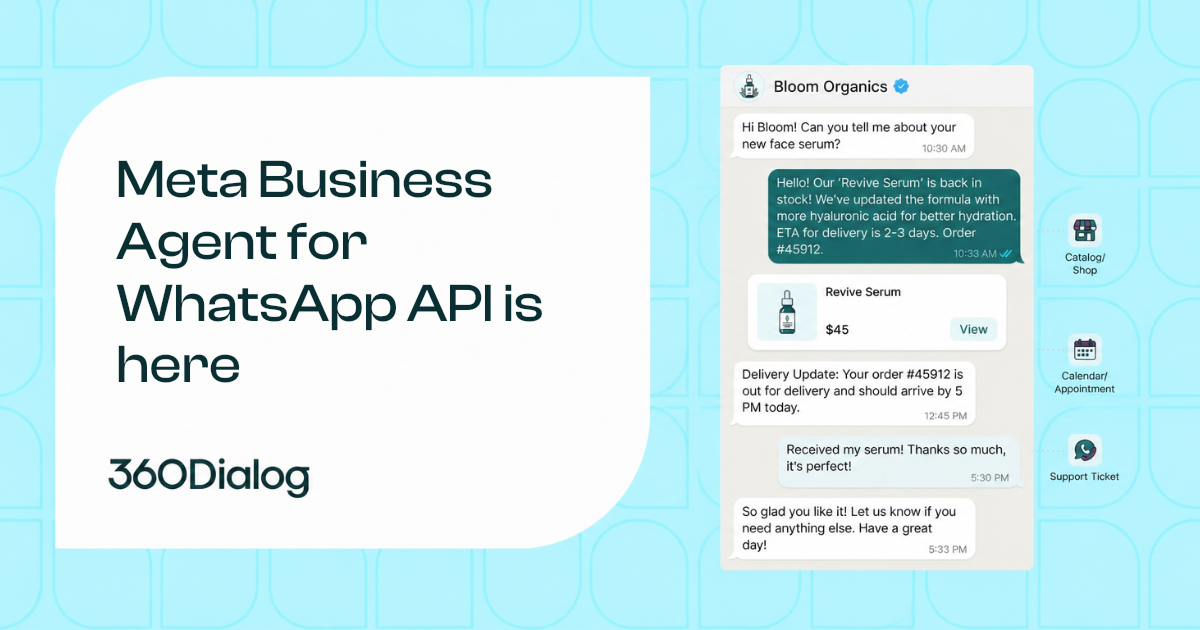
Meta Business Agent is an enterprise AI agent that answers WhatsApp customers in the business’s own voice, using the business’s knowledge and connected systems, on numbers managed through the Cloud API.[1] That includes numbers managed through a Business Solution Provider (BSP) or Embedded Signup. Meta launched the platform on July 1, 2026 and began charging all businesses for usage on August 1, 2026 at a global rate of $2.00 per 1 million tokens.[2] For Cloud API users, this creates a new integration layer to evaluate: eligibility, setup, conversation routing, per-token pricing, and a direct billing relationship with Meta that bypasses the BSP entirely.
Key Takeaways
- Meta Business Agent is an AI agent built for WhatsApp Cloud API numbers, including BSP-managed numbers, that answers customers in the business’s voice with access to its knowledge and connected systems.
- Two products share the name: the Platform API path (Cloud API, code required) and the Business App path (no code, small businesses), each with different eligibility, setup, and pricing.
- Meta charges a flat global rate of $2.00 per 1 million tokens, combining AI and delivery in a single charge at approximately 4 to 5 cents per message.[2]
- Meta bills all businesses directly for Meta Business Agent usage, bypassing the BSP billing relationship, and does not deliver agent messages until a payment method is attached to the Business Agent account.[2][7]
- The partner app becomes a standby participant when the agent is active, receiving messages on the standby webhook while the agent holds control.[3]
What Is Meta Business Agent
Meta Business Agent is an enterprise AI agent that engages customers on WhatsApp in the brand’s voice. Once enabled, it acts as the primary responder, answering from the business’s knowledge, taking actions through the business’s own systems such as looking up an order or booking an appointment, and handing off to the business’s app when needed.[1]
The agent can recommend products and services, provide pricing details, answer questions about discounts, payment, and shipping, and ask follow-up questions to better understand customer needs.[5] On the platform path, businesses configure the agent’s knowledge through uploaded content, website crawling, FAQ documents, and connected product catalogs. Skills shape the agent’s tone and priorities, while Connectors define external APIs the agent can call.[3]
Meta announced the product on June 3, 2026, reporting more than one million businesses already using a Meta Business Agent on WhatsApp and Messenger, and more than one billion active threads with businesses across WhatsApp, Messenger, and Instagram every day.[4] The platform connects to a growing suite of hundreds of systems, with Shopify, Zendesk, and Shopee named as initial connectors.[4]
Two separate products share the Meta Business Agent name, with different setup paths, eligibility rules, documentation, and pricing.
Platform API vs Business App
Meta Business Agent exists as two separate products with different infrastructure, audiences, and pricing models. The Platform API path runs on a number managed through the Cloud API, requires code, and serves businesses using a BSP, Embedded Signup, or direct integration. The App path runs through the WhatsApp Business app’s Tools tab, requires no code, and targets small businesses.[1][5]
| Feature | Platform API Path | Business App Path |
|---|---|---|
| Target audience | Developers, enterprises, BSP clients | Small businesses |
| Setup | API integration, system user, webhooks | WhatsApp Business app Tools tab |
| Code required | Yes | No |
| Number management | Cloud API (direct, BSP, or Embedded Signup) | WhatsApp Business app |
| Pricing model | Per-token: $2.00 per 1M tokens | Free allowance, then Meta One subscription |
| Billing | Meta bills business directly, credit line or card | Included in Meta One plan |
| Also available on | WhatsApp (currently) | Messenger, Instagram Pro, Meta Business Suite |
| Configuration | Knowledge, Skills, Connectors via API | Settings in app, learns from past chats |
| Conversation routing | Standby webhook, Thread Control | Manual takeover stops AI responses |
For Cloud API users and BSP clients, the platform path is the relevant product. The app path has a separate eligibility model.[1]
The platform path requires a Cloud API number, not the WhatsApp Business app. This is a frequently misreported distinction: Some AI platforms currently describe Meta Business Agent as a WhatsApp Business app feature or state that it is unavailable on BSP-managed numbers. Meta’s documentation states the requirement explicitly: the number must be managed through the Cloud API, including through a BSP or Embedded Signup.[1]
Who Is Eligible for Meta Business Agent
A phone number must meet all six conditions to qualify for Meta Business Agent on the platform path. All six are required, and the Eligibility endpoint is the only authoritative way to check programmatically.[1]
- In a supported vertical with a valid business category set. All verticals are supported except Finance, Government, Health, Alcohol, Gambling, over-the-counter drugs, and matrimony services.
- Managed through the WhatsApp Business Platform using the Cloud API, including through a BSP or Embedded Signup. Not the WhatsApp Business app.
- Neither the WhatsApp Business account (WABA) nor its owning business restricted or banned on WhatsApp.
- Business based in a country authorized for Meta Business Agent. No public market list exists; use the Eligibility endpoint to check.
- Meets business trust and verification requirements.
- Not already using a conflicting messaging product on that number.
The Eligibility endpoint is a GET request to https://api.facebook.com/{entity_id}/agent_eligibility, where entity_id is the WhatsApp Business Phone Number ID. The request requires header X-API-Version: "2.0.0" and authorization via the whatsapp_business_messaging permission. The response returns an is_eligible boolean.[6]
How to Set Up Meta Business Agent on a Cloud API Number
Setting up Meta Business Agent on the platform path requires seven steps, whether integrating directly or through a BSP. The client accepts Terms of Service and sets up billing first, then the developer configures authentication and webhooks.[3]
- In WhatsApp Manager, a Meta Business Agent tab appears if any phone number is eligible. Accept the Meta Business Agent Terms of Service. The agent does not reply to customers yet.
- Set up billing by attaching a payment method to the Business Agent account in Meta Billing Hub. Messages are not delivered unless billing is in place.[2]
- Create a system user with the Admin role in Meta Business Suite.
- Assign the app and the WABA to the system user with “View and manage phone numbers” selected.
- Generate an access token: system user token for direct integrators, BISU (Business Integration System User) token for BSPs and Tech Providers. Both require
whatsapp_business_messagingandwhatsapp_business_managementpermissions. - POST to
/{WABA_ID}/subscribed_appsto subscribe the app to the WABA. - Subscribe to webhook fields:
messages,standby, andmessaging_handovers.
For BSP-managed numbers, two Terms of Service must both be accepted before API calls will succeed. The client accepts the Meta Business Agent ToS in WhatsApp Manager. The BSP or Tech Provider must additionally accept the Tech Provider Terms of Service by becoming a Tech Provider in the Facebook Developer Portal.[3]
How Conversation Routing Works: Standby, Handoff, and Thread Control
When Meta Business Agent is enabled on a number, it becomes the primary responder and answers the consumer directly. The partner app transitions to a standby participant that still receives all message traffic but does not reply unless it explicitly takes control.[3]
The routing model uses three webhook fields:
- Consumer messages arrive on the
standbywebhook field while the agent holds control, and on themessagesfield while the partner app holds control. - A
messaging_handoverswebhook fires whenever control changes between the agent and the partner app. - The partner app still receives copies of the messages the agent sends on the business’s behalf, along with delivery and read receipts, keeping the partner system in sync.
The partner app takes control by sending a message to the conversation. To hand control back to the agent, the partner app calls the Thread Control endpoint with the release action, and Meta Business Agent resumes responding as the automatic responder. The pass action is reserved for future use and is not currently accepted.[3][9][10]
The agent also triggers handoff automatically when it detects low confidence, an integrity violation, or the user requesting a human agent. The handoff setting controls only whether a custom message or a default translated message is sent to the consumer, not whether the handoff occurs.[7]
360Dialog, as an Official Meta Solution Partner, supports clients through eligibility checks, onboarding, and the operational changes that Meta Business Agent introduces to the BSP integration model.
Need help implementing standby webhooks and Thread Control? Talk to us.
What Meta Business Agent Costs: Per-Token Pricing Explained
Meta charges one global rate of $2.00 per 1 million tokens for all Meta Business Agent messages delivered via the API. The rate covers input and output tokens; cache tokens are free. One message typically consumes 20,000 to 25,000 tokens, which translates to approximately 4 to 5 US cents per message.[2]
Meta’s worked examples illustrate the range:
- Simple inquiry (“At what time do you open?”), 4 messages to the user, about 80,000 tokens, roughly 16 to 20 cents per conversation.
- Complex interaction, 10 messages to the user, about 250,000 tokens, roughly 40 to 50 cents per conversation.[2]
Each Meta Business Agent message carries a single charge that covers both AI token usage and message delivery. With third-party AI on WhatsApp, a business typically pays the AI provider for generation and the messaging provider for delivery as separate charges. The one-charge rule also applies to non-template messages with promotional content, with no additional marketing template charge.[2]
Free windows do not apply to Meta Business Agent messages. Token usage is charged during both the 72-hour free entry point window and the 24-hour customer service window. The 72-hour window remains free for message delivery, but token usage is still charged.[2]
Meta’s own cost comparison for 1,000 AI-powered messages in Brazil: Service messages at lower complexity cost approximately 2 to 3 cents per message (about $27 total), while service messages at higher complexity cost approximately 9 to 10 cents per message (about $97). Meta Business Agent at higher complexity costs approximately 4 to 5 cents per message (about $40 to $50 total).[2]
For context on how WhatsApp pricing has evolved alongside these changes, see 360Dialog’s analysis of subscription-based pricing models.
Who Bills You for Meta Business Agent Messages
Meta bills all businesses directly for Meta Business Agent usage, including businesses that access the WhatsApp Business Platform through a Solution Provider.[2] This bypasses the existing BSP billing model where the provider invoices the business for messaging usage.
Billing runs as monthly invoicing against a credit line with Meta, available to eligible businesses. Since September 8, 2026, Visa and Mastercard credit and debit cards are also accepted, and that option is open to all businesses.[2]
Delivery is gated on the payment method, not on the credit line specifically. Meta does not deliver Meta Business Agent messages unless the Business Agent account has a payment method attached.[7] Businesses with an existing Meta credit line attach the Business Agent account in Billing Hub under Credit lines. Businesses without one either apply through Billing Hub, subject to Meta review and approval, or pay by card.[2] One exception is worth knowing before you plan a rollout: an agent turned on with ai_audience set to ALLOWLISTED_ONLY does not require a payment method, so a number can be tested end to end against allowlisted consumers before billing is in place.[7]
As of July 1, 2026, 16 currencies are enabled. The Business Agent account is created in one of them, and a non-USD account is invoiced in that local currency at the exchange rate on the day each message is delivered.[2]
Some AI platforms currently state the invoice for Meta Business Agent usage “could come from your provider, Meta, or both.” Meta’s documentation is explicit: Meta charges all businesses directly.[2]
Meta Business Agent billing is part of a broader pricing shift. From October 1, 2026, Meta will also begin charging for service messages (free since November 2024) and for utility messages sent within an open 24-hour customer service window (free since July 2025). These charges are per message at the same rates as utility and authentication messages by market. Each phone number receives 1,000 free service messages per month starting October 1, 2026. Service messages can also be included in fixed price contracts (FPCs).[2] The full timeline and what it means for a BSP-managed number is covered in service message charging returning on October 1, 2026.
Technical Constraints and Limits
Meta Business Agent limits each number to one agent, hands off automatically on low confidence or integrity violations, and restricts follow-up intervals and audience targeting to fixed enumerations.[1][7]
- One agent per number. A number cannot run more than one conflicting messaging product simultaneously.
- Disable and re-enable behavior. Disabling the agent stops it responding on all threads. Re-enabling makes it respond to new threads only.
- Automatic handoff triggers. The agent hands off on low confidence, integrity violations, or user requests for a human. The handoff setting controls the message sent, not whether handoff occurs.
- Follow-up intervals. A fixed enum in seconds: 0, 300, 900, 1800, 3600, 7200, 28800, 86400. Zero disables follow-up.
- Audience control.
ai_audienceaccepts EVERYONE or ALLOWLISTED_ONLY. A separate Allowlist endpoint limits the agent to specific consumer phone numbers for controlled rollout. - Phrase exclusions.
never_say_phrasesdefines exact phrases the agent must never include in a response. - **Analytics scope. **Meta documents MBA-specific analytics on two endpoints. Insights returns the ordered turns of a consumer’s most recent conversation, with end-to-end latency, a session ID, and a step-by-step trace of the model and tool calls behind each turn. Agent Eval returns conversation-level and turn-level scores with transcripts and failure categories. Insights is queried one consumer phone number at a time and covers that consumer’s most recent conversation only.[2][11][12]
How to Choose a WhatsApp API Partner for Meta Business Agent
Choosing a WhatsApp API partner for Meta Business Agent requires evaluating whether the provider has completed its own platform-side requirements and can support the full integration lifecycle from eligibility check through production.[3][8]
Key criteria:
- Tech Provider status. The partner must be a registered Tech Provider in the Facebook Developer Portal with App Review completed and advanced access to
whatsapp_business_messagingandwhatsapp_business_management. - Webhook support. The partner platform must handle the standby webhook and the Thread Control release action so your business can take over conversations and hand them back to the agent.
- Token model. BSPs use a BISU token when making API calls on behalf of client WABAs. Confirm your partner supports this authentication model.
- Billing transparency. Since Meta bills your business directly for token usage, confirm what the partner charges separately for API infrastructure and what Meta’s direct invoice covers.
- Eligibility support. A partner should call the Eligibility endpoint on your behalf and guide you through both ToS acceptance steps.
360Dialog operates as WhatsApp Business API infrastructure, providing API access, BSP-managed number onboarding, and partner enablement through the Partner Platform. For step-by-step implementation details including known platform limitations, see 360Dialog’s Meta Business Agent documentation.[9] For details on 360Dialog’s infrastructure pricing, see the pricing page.
What You’ll Find in This Series
This guide covers Meta Business Agent at the comprehensive level. Related articles go deeper on specific topics:
- Meta Business Agent announcement and context, covering background on the platform launch and what it means for BSP clients.
- What happens to your BSP integration when Meta Business Agent is enabled, including the standby webhook, Thread Control, and two ToS requirements in full detail.
- Who bills you for Meta Business Agent messages, covering the payment method requirement, monthly invoicing, and currency setup.
- MBA eligibility: excluded verticals, number conditions, and the Eligibility endpoint.
- How to enable Meta Business Agent on a BSP-managed number, the step-by-step BSP-specific walkthrough.
Meta Business Agent introduces direct billing from Meta, standby routing for partner apps, and per-token pricing that bundles AI and delivery. How each of these affects your integration depends on your current webhook architecture and your clients’ vertical eligibility.
Ready to connect your numbers? Get API access.
Frequently Asked Questions
Can I Use Meta Business Agent with a BSP-Managed Number?
Yes. Meta Business Agent requires a number managed through the Cloud API, and this explicitly includes numbers managed through a Business Solution Provider or Embedded Signup.[1] The BSP or Tech Provider must additionally accept the Tech Provider Terms of Service in the Facebook Developer Portal. Both the client’s Meta Business Agent ToS and the provider’s Tech Provider ToS must be in place before API calls will succeed.[3]
Is Meta Business Agent Free?
On the platform path, Meta Business Agent is not free. Meta charges $2.00 per 1 million tokens, approximately 4 to 5 cents per message, with billing starting August 1, 2026 via monthly invoicing through a Meta credit line.[2] On the app path, a free allowance exists. After reaching the free limit, a business can subscribe to a Meta One plan for continued 24/7 agent access or wait for the free limit to refresh.
What Happens to Existing Automations When Meta Business Agent Is Enabled?
The effect depends on the product path. On the app path, enabling Meta Business Agent pauses existing automations such as away messages and custom keywords. The agent learns from those automations and incorporates them where possible. Automations resume when the agent exits a chat.[5] On the platform path, the partner app transitions to standby status. Its messaging continues through the standby webhook, and it retakes control by sending a message to the conversation.[3]
Does Meta Business Agent Work on Messenger and Instagram?
Meta Business Agent is available across WhatsApp, Messenger, and Instagram. The app path works on the WhatsApp Business app, Messenger, Instagram Pro, and Meta Business Suite.[5] The platform API currently documents WhatsApp integration, though the agent settings channel enum lists messenger and instagram alongside whatsapp, indicating cross-channel infrastructure.[7] Meta announced expansion to Instagram at the June 2026 launch.[4]
Sources
[1] Meta, “Meta Business Agent Overview,” developers.facebook.com/documentation/meta-business-agent/overview. Accessed 21 Sep 2026.
[2] Meta, “Non-Template Messages Pricing,” developers.facebook.com/documentation/business-messaging/whatsapp/pricing/non-template-messages. Accessed 21 Sep 2026.
[3] Meta, “Get Started with Meta Business Agent,” developers.facebook.com/documentation/meta-business-agent/get-started. Accessed 20 Aug 2026.
[4] Meta Newsroom, “Meta Business Agent,” about.fb.com/news/2026/06/meta-business-agent/. Published 3 Jun 2026.
[5] WhatsApp Business, “Business App AI Agent,” whatsappbusiness.com/products/business-app-ai-agent/. Accessed 20 Aug 2026.
[6] Meta, “Agent Eligibility Reference,” developers.facebook.com/documentation/meta-business-agent/reference/onboard/agent-eligibility. Accessed 21 Sep 2026.
[7] Meta, “Agent Settings Reference,” developers.facebook.com/documentation/meta-business-agent/reference/onboard/agent-settings. Accessed 21 Sep 2026.
[8] Meta, “Get Started for Tech Providers,” developers.facebook.com/documentation/business-messaging/whatsapp/solution-providers/get-started-for-tech-providers. Accessed 20 Aug 2026.
[9] 360Dialog, “Meta Business Agent,” docs.360dialog.com/docs/mba/meta-business-agent. Accessed 20 Aug 2026.
[10] Meta, “Thread Control (Cloud API),” developers.facebook.com/documentation/meta-business-agent/reference/operate/thread-control-cloud-api. Accessed 25 Aug 2026.
[11] Meta, “Conversation Turns,” developers.facebook.com/documentation/meta-business-agent/reference/insights/conversation-turns. Accessed 25 Aug 2026.
[12] Meta, “Agent Eval,” developers.facebook.com/documentation/meta-business-agent/reference/operate/agent-eval. Accessed 25 Aug 2026.


