Click-to-WhatsApp Ads (CTWA): How They Work, What They Cost, and How to Measure Them

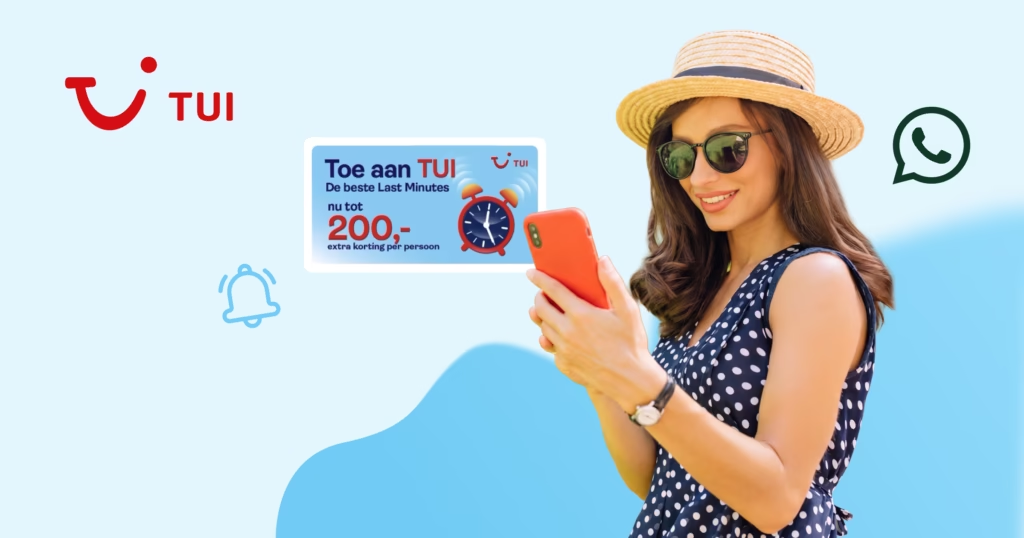
Click-to-WhatsApp ads (CTWA) are Meta ads that open a WhatsApp chat with your business when someone clicks them. Instead of landing on a page and leaving, your prospect starts a conversation with your team, and that conversation is where the sale happens. Reply within 24 hours to someone who messaged from their phone, and your messages to them are free for the next 7 days. Each chat also carries a code that links it back to the ad, so you know which ads bring in sales and which only bring clicks.

Key Takeaways

  1. Click-to-WhatsApp ads turn an ad click on Facebook, Instagram, or WhatsApp into a chat where your team can qualify the lead and close the sale.
  2. Reply within 24 hours to someone who messaged from the ad on Android or iOS, and Meta opens a free entry point window of up to 7 days in which your marketing, utility, authentication, and service messages to that person cost nothing to deliver.
  3. Your budget covers the ad spend you pay Meta in Ads Manager and the messages you send outside that free window, including service messages from October 1, 2026.
  4. If you already run Meta ads from a Facebook Page, launching adds a WhatsApp number connected to that Page, a team or tool to reply, and approved template messages, the pre-approved formats you use for follow-up.
  5. Staff or automate the first reply before buying more clicks, and use the click ID on each ad chat to report the resulting sales back to Meta.

What Are Click-to-WhatsApp Ads and How Do They Work?

Click-to-WhatsApp ads send people who respond to the ad straight into a WhatsApp conversation with your business, so the interest an ad creates goes straight to your team. They run as image, video, carousel, or slideshow ads, and each chat they start is one you answer individually.[1] Placements include Facebook, Instagram, and WhatsApp, and you choose them in the ad set.[2]

The chat opens with a pre-filled message ready to send, and you can customize the greeting your business sends back. Each message that arrives from the ad carries details about it, including the ad’s ID, its headline, and a click ID.[3] A click ID is a code Meta attaches to each chat that starts from an ad, so you can tell which ad produced the conversation. Chats from ads in WhatsApp Status arrive without one.

The customer service window is the 24 hours after a person’s last message, when you can reply with any type of message.

Businesses that also use Messenger or Instagram Direct can pick several message destinations in one ad, and Meta shares the budget among them based on the likelihood of a conversation. The WhatsApp Status placement is rolling out gradually, so it may not be available to every advertiser yet.[4]

Who Gets the Most From Click-to-WhatsApp Ads?

Click-to-WhatsApp ads suit businesses whose sale needs a conversation first: a question answered, a lead qualified, or a booking confirmed. Performance marketers and growth leads use them to move paid traffic into a channel where a person, a tool, or an AI agent can respond quickly and carry the lead toward a purchase in the same thread.

  • Lead qualification. A short form or suggested questions inside the chat sort serious buyers from browsers.
  • Considered purchases. Higher-value offers often need answers before someone commits, and a chat handles that exchange in one place.
  • Sales conversations. Sales teams can answer product questions and confirm an order in the thread where the buyer first asked.
  • Markets where customers already use WhatsApp. There, the ad meets people in an app they already use to talk to businesses.

At 360Dialog, our Performance Messaging team works alongside brands and marketing agencies on WhatsApp strategy, journey building, and performance optimization, including Click-to-WhatsApp ad guidance, broadcast sendouts, and re-engagement flows. Your team stays in control, and every campaign can be tracked with 360Pilot as standard.

If one of these use cases fits your business and you want help building the journey each ad conversation follows, talk to us about Performance Messaging.

What Do Click-to-WhatsApp Ads Cost?

A Click-to-WhatsApp campaign costs you two things: the ad spend you pay Meta through Ads Manager, and Meta’s per-message charges for what your business sends in WhatsApp. A fast first reply keeps the second cost low. The ad set bills on impressions from a daily or lifetime budget you set, and message charges apply only to messages your business sends and Meta delivers.[5]

The free entry point window makes most of your messages free early in an ad conversation. It opens when someone messages you from a Click-to-WhatsApp ad in the WhatsApp app for Android or iOS and you reply within the 24-hour customer service window. That first reply is free, the window starts when you send it, and it may stay open for up to 7 days.

From October 1, 2026, service messages are charged by market at the same rate as utility and authentication messages.[6] On top of Meta’s charges, 360Dialog bills a flat monthly plan per phone number, with no markup on Meta fees.

Meta’s pricing rules set seven cost lines for a CTWA conversation:

Cost lineCharged?How it works
Ad spendYes, by MetaBilled on impressions from the daily or lifetime budget in Ads Manager
Messages people send youNoMeta charges only for messages businesses send
Your first reply within 24 hoursNoOpens the free entry point window
Marketing, utility, authentication, and service messages in the free entry point windowNoFree while the window is open, for up to 7 days
Meta Business Agent messages, sent by Meta’s own AI agentYesCharged inside and outside the free entry point window
Service messages outside the free entry point windowYes, from October 1, 2026The first 1,000 per business phone number each month are free
Template messages outside the free entry point windowYesCharged per delivered message at Meta’s published market rate

If you are working out what your ad conversations will cost across the markets you advertise in, talk to us about plans and Meta fees.

What Do You Need Before You Launch a CTWA Campaign?

If you already run Meta ads from a Facebook Page, launching adds three things: a WhatsApp number connected to that Page, approved templates for follow-up, and a team or tool to reply. The number can sit on the WhatsApp Business app or on the WhatsApp Business Platform, Meta’s API product for businesses, where an API is the connection that lets your software send and receive WhatsApp messages. Either way, it must be connected to your Facebook Page or to your business portfolio, the Meta account that groups your business assets.[7]

Meta hosts that API as the WhatsApp Cloud API. Many businesses reach it through a BSP, or Business Solution Provider, a Meta partner that sets up and runs the connection for them. 360Dialog is an Official Meta Solution Partner providing WhatsApp Business API access, trusted by 100,000+ businesses.

For an API number, you request the Page connection from your Facebook Page settings, and the business that owns the number approves it: your partner when it manages the account on your behalf, or your own business when you signed up through the partner’s flow.[8]

A template message is a pre-approved message format a business can send at any time. Outside an open customer service window, templates are the only messages you can send, so plan template approval before the first ad goes live.

What you needWhy it matters
A business portfolioHolds your Facebook Page, ad account, and WhatsApp number together
A Facebook Page you administerThe ad runs from the Page your WhatsApp number is linked to
A Meta ad accountPays for the ad spend
A WhatsApp number on the app or the APIReceives every chat the ad starts
The Page connected to that numberMakes WhatsApp available as the ad’s message destination
Approved template messagesLet you follow up after the customer service window closes
A team or tool to replyA reply within 24 hours opens the free entry point window

How Do You Set Up a Click-to-WhatsApp Campaign?

You set up a Click-to-WhatsApp campaign in Meta Ads Manager by choosing a supported objective, selecting WhatsApp as the message destination, and writing the greeting people see when the chat opens. Traffic, Engagement, Leads, Sales, and Awareness objectives all support WhatsApp as a destination, and the steps below follow the Traffic or Engagement path.

  1. Start the campaign. In Ads Manager, click Create, choose Traffic or Engagement, and name the campaign.
  2. Point the ad to messages. In the Conversion section of the ad set, select Message destinations, then choose the Facebook Page whose connected WhatsApp number will receive the chats.
  3. Select WhatsApp. Under Message destinations, check WhatsApp; if the option is greyed out, connect the account and confirm the number first.
  4. Set budget, schedule, and audience. The performance goal is preselected by objective, and you review the budget, schedule, and audience before moving on.
  5. Write the greeting. At ad level, create or reuse a message template, the Ads Manager setting for the greeting and prompts people see when the chat opens. Choose suggested prompts people can select, or a form inside WhatsApp that collects their details.
  6. Publish and wait for review. Meta reviews the ad, and it starts delivering once approved.

The greeting template in step 5 is separate from the WhatsApp template messages you send later for follow-up. The technical side, such as linking a Facebook Page to an API number, is in CTWA setup in our documentation.

How Do You Answer Ad Conversations at Scale?

You answer ad conversations at scale by making sure every chat gets a useful first reply inside 24 hours, through a staffed inbox, an automated greeting, or both. That first reply decides whether the free entry point window opens, so response speed is a cost lever as well as a conversion lever, and it deserves staffing before the ad budget grows.

Under Meta’s rules, the first reply also sets what the conversation costs. A reply sent after the 24-hour customer service window can only go out as a paid template message, and teams that add budget before reply capacity pay for conversations nobody answers in time.

  • A shared inbox. Several agents answer from one number, so each ad chat reaches whoever is free.
  • Welcome Message Sequences. You attach a greeting from a partner messaging app to the ad, with text, a pre-filled message, and suggested questions people can choose from.[9] A sequence linked to an active ad cannot be edited or deleted, so finalize it before launch.
  • WhatsApp Flows. The greeting can carry a button that opens a single-screen form, which collects the details your team needs before an agent joins.
  • Rule-based replies and AI agents. You can connect your business number to automation tools or AI agents that answer common questions and hand qualified leads to sales.

360Dialog provides the WhatsApp API infrastructure that these inboxes, tools, and AI agents connect to.

How Do You Measure Click-to-WhatsApp Results?

Measuring Click-to-WhatsApp results shows you which ads produce revenue, and sending those results back to Meta lets it optimize your ads for purchases. You measure them by tying each ad chat to what happened in it: conversations started, leads qualified, cost per conversation, and revenue. Ads Manager shows the start of that journey, and the click ID and Meta’s Conversions API carry the outcome from the chat back to the ad.

When a person messages from the ad, the message reaches your system through a webhook, which is the web address where WhatsApp delivers the messages customers send you. Your system can store the click ID with that conversation. Meta calls the click ID “a personal identifier, unique per click”.[10]

The Conversions API for Business Messaging is a Meta connection that sends events from your chats, such as a purchase, a submitted lead, or a qualified lead, back to Meta with the click ID attached. These events let Meta optimize ads that click to WhatsApp for purchases, as it does for Messenger; Instagram ad optimization is unavailable for now.

Meta warns that some messaging-related metrics, ad campaigns, and organic messaging features will be unavailable for businesses and ads delivered to and from Europe, Japan, and South Korea, so check your reporting per market before setting targets.

360Pilot, our WhatsApp campaign measurement product, connects entry points, conversations, conversions, and spend in one place. An entry point is where a conversation started, such as an ad, an organic link, or a paid message, and 360Pilot measures all three.[11] On request, its Meta Pixel and CTWA Optimization integration detects conversion events inside WhatsApp chats and sends them to Meta through the Conversions API, since the Meta Pixel tracks website actions only.[12]

Which Mistakes Waste CTWA Budget?

CTWA budget is often wasted on the conversation side of the campaign: replies that arrive late, follow-ups with no approved template, and reporting that stops at the click. Each of these turns paid traffic into chats that cost money and leave no measurable result.

  • Slow or missing first replies. A chat answered after 24 hours misses the free entry point window, and the reply has to be a paid template message.
  • Ads running when nobody can answer. Delivery outside staffed hours needs an automated greeting that holds the chat until an agent joins.
  • No follow-up template ready. Once the customer service window closes, only an approved template can restart the chat, and large follow-up sends to ad leads also have to fit Meta’s messaging limits and template pacing.
  • Counting clicks as results. A click shows interest, while the conversations started and the sales they produce show whether the campaign pays.
  • Sales left inside the chat. Without conversion events sent through the Conversions API, Meta has no record of the purchases your chats produced.
  • Sending the same conversion twice. Meta leaves deduplication of business messaging events to the advertiser, so remove duplicates before sending them.

Each of these comes back to one point: The ad buys the chance to talk, and the team behind the number decides what that chance is worth. The open question for each campaign is how many conversations your setup can answer well within 24 hours, and whether the ad budget matches that number.

If you want to see which of your ads start conversations that convert, and which ad spend does not, talk to us about 360Pilot.

Frequently Asked Questions

Can I Run Click-to-WhatsApp Ads Without the WhatsApp Business API?

Yes, Click-to-WhatsApp ads can run on a number registered in the WhatsApp Business app as well as on a WhatsApp Business Platform number. The API route adds what campaigns at scale need: Meta’s free messaging period of up to 7 days for businesses on the platform, shared inboxes and automation through connected tools, and conversion events sent back to Meta through the Conversions API.

Do Click-to-WhatsApp Ads Work on Facebook and Instagram?

Yes, an ad with WhatsApp as its message destination can run on Facebook, Instagram, and WhatsApp, and you choose the placements in the ad set. Meta is also gradually introducing a WhatsApp Status placement, where ads appear only in Status, separate from personal chats and calls, so that placement may not be available to every advertiser yet.

How Do I Track Which Ad Started a WhatsApp Conversation?

You track which ad started a WhatsApp conversation through the click ID, a code Meta attaches to each chat that begins from a Click-to-WhatsApp ad. The incoming message carries it alongside the ad’s ID and headline, so your system can store it with the conversation and later send conversion events to Meta through the Conversions API. Chats from WhatsApp Status ads arrive without one.

What Do I Need to Send WhatsApp Marketing Messages After the Free Window?

You need an approved template message, the pre-approved message type a business can send at any time. Outside an open 24-hour customer service window, templates are the only messages a business can send. Meta sorts them into marketing, utility, and authentication categories and charges each delivered template at its published rate for the market.

Sources

[1] Meta for Developers, “Ads that Click to WhatsApp” (Marketing API). https://developers.facebook.com/documentation/ads-commerce/marketing-api/ad-creative/messaging-ads/click-to-whatsapp (accessed October 2, 2026)

[2] Meta Business Help Center, “About ads that click to message on Meta technologies.” https://www.facebook.com/business/help/1816962591668838 (accessed October 2, 2026)

[3] Meta for Developers, “Text messages webhook reference.” https://developers.facebook.com/documentation/business-messaging/whatsapp/webhooks/reference/messages/text (accessed October 2, 2026)

[4] Meta Business Help Center, “Create ads in WhatsApp Status in Meta Ads Manager.” https://www.facebook.com/business/help/1074444721456755 (accessed October 2, 2026)

[5] Meta for Developers, “Pricing on the WhatsApp Business Platform.” https://developers.facebook.com/documentation/business-messaging/whatsapp/pricing (accessed October 2, 2026)

[6] Meta for Developers, “Upcoming pricing updates for Meta Business Agent, service and utility messages.” https://developers.facebook.com/documentation/business-messaging/whatsapp/pricing/non-template-messages (accessed October 2, 2026)

[7] Meta Business Help Center, “Create ads that click to WhatsApp in Meta Ads Manager.” https://www.facebook.com/business/help/447934475640650 (accessed October 2, 2026)

[8] Meta Business Help Center, “Request to connect your Facebook Page to a WhatsApp Business Platform phone number.” https://www.facebook.com/business/help/4631406400243963 (accessed October 2, 2026)

[9] Meta for Developers, “Welcome Message Sequences.” https://developers.facebook.com/documentation/business-messaging/whatsapp/ctwa/welcome-message-sequences (accessed October 2, 2026)

[10] Meta for Developers, “Conversions API for Business Messaging: Onboarding Guide.” https://developers.facebook.com/documentation/ads-commerce/conversions-api/business-messaging (accessed October 2, 2026)

[11] 360Dialog documentation, “360Pilot pricing and billing.” https://docs.360dialog.com/360pilot/setup-and-billing/360pilot-pricing-and-billing (accessed October 2, 2026)

[12] 360Dialog documentation, “Meta Pixel & CTWA Optimization.” https://docs.360dialog.com/360pilot/integrations/meta-pixel-and-ctwa-optimization (accessed October 2, 2026)

Click-to-WhatsApp ads (CTWA) are Meta ads that open a WhatsApp chat with your business when someone clicks them. Instead of landing on a page and leaving, your prospect starts a conversation with your team, and that conversation is where the sale happens. Reply within 24 hours to someone who messaged from their phone, and your messages to them are free for the next 7 days. Each chat also carries a code that links it back to the ad, so you know which ads bring in sales and which only bring clicks.

Key Takeaways

  1. Click-to-WhatsApp ads turn an ad click on Facebook, Instagram, or WhatsApp into a chat where your team can qualify the lead and close the sale.
  2. Reply within 24 hours to someone who messaged from the ad on Android or iOS, and Meta opens a free entry point window of up to 7 days in which your marketing, utility, authentication, and service messages to that person cost nothing to deliver.
  3. Your budget covers the ad spend you pay Meta in Ads Manager and the messages you send outside that free window, including service messages from October 1, 2026.
  4. If you already run Meta ads from a Facebook Page, launching adds a WhatsApp number connected to that Page, a team or tool to reply, and approved template messages, the pre-approved formats you use for follow-up.
  5. Staff or automate the first reply before buying more clicks, and use the click ID on each ad chat to report the resulting sales back to Meta.

What Are Click-to-WhatsApp Ads and How Do They Work?

Click-to-WhatsApp ads send people who respond to the ad straight into a WhatsApp conversation with your business, so the interest an ad creates goes straight to your team. They run as image, video, carousel, or slideshow ads, and each chat they start is one you answer individually.[1] Placements include Facebook, Instagram, and WhatsApp, and you choose them in the ad set.[2]

The chat opens with a pre-filled message ready to send, and you can customize the greeting your business sends back. Each message that arrives from the ad carries details about it, including the ad’s ID, its headline, and a click ID.[3] A click ID is a code Meta attaches to each chat that starts from an ad, so you can tell which ad produced the conversation. Chats from ads in WhatsApp Status arrive without one.

The customer service window is the 24 hours after a person’s last message, when you can reply with any type of message.

Businesses that also use Messenger or Instagram Direct can pick several message destinations in one ad, and Meta shares the budget among them based on the likelihood of a conversation. The WhatsApp Status placement is rolling out gradually, so it may not be available to every advertiser yet.[4]

Who Gets the Most From Click-to-WhatsApp Ads?

Click-to-WhatsApp ads suit businesses whose sale needs a conversation first: a question answered, a lead qualified, or a booking confirmed. Performance marketers and growth leads use them to move paid traffic into a channel where a person, a tool, or an AI agent can respond quickly and carry the lead toward a purchase in the same thread.

  • Lead qualification. A short form or suggested questions inside the chat sort serious buyers from browsers.
  • Considered purchases. Higher-value offers often need answers before someone commits, and a chat handles that exchange in one place.
  • Sales conversations. Sales teams can answer product questions and confirm an order in the thread where the buyer first asked.
  • Markets where customers already use WhatsApp. There, the ad meets people in an app they already use to talk to businesses.

At 360Dialog, our Performance Messaging team works alongside brands and marketing agencies on WhatsApp strategy, journey building, and performance optimization, including Click-to-WhatsApp ad guidance, broadcast sendouts, and re-engagement flows. Your team stays in control, and every campaign can be tracked with 360Pilot as standard.

If one of these use cases fits your business and you want help building the journey each ad conversation follows, talk to us about Performance Messaging.

What Do Click-to-WhatsApp Ads Cost?

A Click-to-WhatsApp campaign costs you two things: the ad spend you pay Meta through Ads Manager, and Meta’s per-message charges for what your business sends in WhatsApp. A fast first reply keeps the second cost low. The ad set bills on impressions from a daily or lifetime budget you set, and message charges apply only to messages your business sends and Meta delivers.[5]

The free entry point window makes most of your messages free early in an ad conversation. It opens when someone messages you from a Click-to-WhatsApp ad in the WhatsApp app for Android or iOS and you reply within the 24-hour customer service window. That first reply is free, the window starts when you send it, and it may stay open for up to 7 days.

From October 1, 2026, service messages are charged by market at the same rate as utility and authentication messages.[6] On top of Meta’s charges, 360Dialog bills a flat monthly plan per phone number, with no markup on Meta fees.

Meta’s pricing rules set seven cost lines for a CTWA conversation:

Cost lineCharged?How it works
Ad spendYes, by MetaBilled on impressions from the daily or lifetime budget in Ads Manager
Messages people send youNoMeta charges only for messages businesses send
Your first reply within 24 hoursNoOpens the free entry point window
Marketing, utility, authentication, and service messages in the free entry point windowNoFree while the window is open, for up to 7 days
Meta Business Agent messages, sent by Meta’s own AI agentYesCharged inside and outside the free entry point window
Service messages outside the free entry point windowYes, from October 1, 2026The first 1,000 per business phone number each month are free
Template messages outside the free entry point windowYesCharged per delivered message at Meta’s published market rate

If you are working out what your ad conversations will cost across the markets you advertise in, talk to us about plans and Meta fees.

What Do You Need Before You Launch a CTWA Campaign?

If you already run Meta ads from a Facebook Page, launching adds three things: a WhatsApp number connected to that Page, approved templates for follow-up, and a team or tool to reply. The number can sit on the WhatsApp Business app or on the WhatsApp Business Platform, Meta’s API product for businesses, where an API is the connection that lets your software send and receive WhatsApp messages. Either way, it must be connected to your Facebook Page or to your business portfolio, the Meta account that groups your business assets.[7]

Meta hosts that API as the WhatsApp Cloud API. Many businesses reach it through a BSP, or Business Solution Provider, a Meta partner that sets up and runs the connection for them. 360Dialog is an Official Meta Solution Partner providing WhatsApp Business API access, trusted by 100,000+ businesses.

For an API number, you request the Page connection from your Facebook Page settings, and the business that owns the number approves it: your partner when it manages the account on your behalf, or your own business when you signed up through the partner’s flow.[8]

A template message is a pre-approved message format a business can send at any time. Outside an open customer service window, templates are the only messages you can send, so plan template approval before the first ad goes live.

What you needWhy it matters
A business portfolioHolds your Facebook Page, ad account, and WhatsApp number together
A Facebook Page you administerThe ad runs from the Page your WhatsApp number is linked to
A Meta ad accountPays for the ad spend
A WhatsApp number on the app or the APIReceives every chat the ad starts
The Page connected to that numberMakes WhatsApp available as the ad’s message destination
Approved template messagesLet you follow up after the customer service window closes
A team or tool to replyA reply within 24 hours opens the free entry point window

How Do You Set Up a Click-to-WhatsApp Campaign?

You set up a Click-to-WhatsApp campaign in Meta Ads Manager by choosing a supported objective, selecting WhatsApp as the message destination, and writing the greeting people see when the chat opens. Traffic, Engagement, Leads, Sales, and Awareness objectives all support WhatsApp as a destination, and the steps below follow the Traffic or Engagement path.

  1. Start the campaign. In Ads Manager, click Create, choose Traffic or Engagement, and name the campaign.
  2. Point the ad to messages. In the Conversion section of the ad set, select Message destinations, then choose the Facebook Page whose connected WhatsApp number will receive the chats.
  3. Select WhatsApp. Under Message destinations, check WhatsApp; if the option is greyed out, connect the account and confirm the number first.
  4. Set budget, schedule, and audience. The performance goal is preselected by objective, and you review the budget, schedule, and audience before moving on.
  5. Write the greeting. At ad level, create or reuse a message template, the Ads Manager setting for the greeting and prompts people see when the chat opens. Choose suggested prompts people can select, or a form inside WhatsApp that collects their details.
  6. Publish and wait for review. Meta reviews the ad, and it starts delivering once approved.

The greeting template in step 5 is separate from the WhatsApp template messages you send later for follow-up. The technical side, such as linking a Facebook Page to an API number, is in CTWA setup in our documentation.

How Do You Answer Ad Conversations at Scale?

You answer ad conversations at scale by making sure every chat gets a useful first reply inside 24 hours, through a staffed inbox, an automated greeting, or both. That first reply decides whether the free entry point window opens, so response speed is a cost lever as well as a conversion lever, and it deserves staffing before the ad budget grows.

Under Meta’s rules, the first reply also sets what the conversation costs. A reply sent after the 24-hour customer service window can only go out as a paid template message, and teams that add budget before reply capacity pay for conversations nobody answers in time.

  • A shared inbox. Several agents answer from one number, so each ad chat reaches whoever is free.
  • Welcome Message Sequences. You attach a greeting from a partner messaging app to the ad, with text, a pre-filled message, and suggested questions people can choose from.[9] A sequence linked to an active ad cannot be edited or deleted, so finalize it before launch.
  • WhatsApp Flows. The greeting can carry a button that opens a single-screen form, which collects the details your team needs before an agent joins.
  • Rule-based replies and AI agents. You can connect your business number to automation tools or AI agents that answer common questions and hand qualified leads to sales.

360Dialog provides the WhatsApp API infrastructure that these inboxes, tools, and AI agents connect to.

How Do You Measure Click-to-WhatsApp Results?

Measuring Click-to-WhatsApp results shows you which ads produce revenue, and sending those results back to Meta lets it optimize your ads for purchases. You measure them by tying each ad chat to what happened in it: conversations started, leads qualified, cost per conversation, and revenue. Ads Manager shows the start of that journey, and the click ID and Meta’s Conversions API carry the outcome from the chat back to the ad.

When a person messages from the ad, the message reaches your system through a webhook, which is the web address where WhatsApp delivers the messages customers send you. Your system can store the click ID with that conversation. Meta calls the click ID “a personal identifier, unique per click”.[10]

The Conversions API for Business Messaging is a Meta connection that sends events from your chats, such as a purchase, a submitted lead, or a qualified lead, back to Meta with the click ID attached. These events let Meta optimize ads that click to WhatsApp for purchases, as it does for Messenger; Instagram ad optimization is unavailable for now.

Meta warns that some messaging-related metrics, ad campaigns, and organic messaging features will be unavailable for businesses and ads delivered to and from Europe, Japan, and South Korea, so check your reporting per market before setting targets.

360Pilot, our WhatsApp campaign measurement product, connects entry points, conversations, conversions, and spend in one place. An entry point is where a conversation started, such as an ad, an organic link, or a paid message, and 360Pilot measures all three.[11] On request, its Meta Pixel and CTWA Optimization integration detects conversion events inside WhatsApp chats and sends them to Meta through the Conversions API, since the Meta Pixel tracks website actions only.[12]

Which Mistakes Waste CTWA Budget?

CTWA budget is often wasted on the conversation side of the campaign: replies that arrive late, follow-ups with no approved template, and reporting that stops at the click. Each of these turns paid traffic into chats that cost money and leave no measurable result.

  • Slow or missing first replies. A chat answered after 24 hours misses the free entry point window, and the reply has to be a paid template message.
  • Ads running when nobody can answer. Delivery outside staffed hours needs an automated greeting that holds the chat until an agent joins.
  • No follow-up template ready. Once the customer service window closes, only an approved template can restart the chat, and large follow-up sends to ad leads also have to fit Meta’s messaging limits and template pacing.
  • Counting clicks as results. A click shows interest, while the conversations started and the sales they produce show whether the campaign pays.
  • Sales left inside the chat. Without conversion events sent through the Conversions API, Meta has no record of the purchases your chats produced.
  • Sending the same conversion twice. Meta leaves deduplication of business messaging events to the advertiser, so remove duplicates before sending them.

Each of these comes back to one point: The ad buys the chance to talk, and the team behind the number decides what that chance is worth. The open question for each campaign is how many conversations your setup can answer well within 24 hours, and whether the ad budget matches that number.

If you want to see which of your ads start conversations that convert, and which ad spend does not, talk to us about 360Pilot.

Frequently Asked Questions

Can I Run Click-to-WhatsApp Ads Without the WhatsApp Business API?

Yes, Click-to-WhatsApp ads can run on a number registered in the WhatsApp Business app as well as on a WhatsApp Business Platform number. The API route adds what campaigns at scale need: Meta’s free messaging period of up to 7 days for businesses on the platform, shared inboxes and automation through connected tools, and conversion events sent back to Meta through the Conversions API.

Do Click-to-WhatsApp Ads Work on Facebook and Instagram?

Yes, an ad with WhatsApp as its message destination can run on Facebook, Instagram, and WhatsApp, and you choose the placements in the ad set. Meta is also gradually introducing a WhatsApp Status placement, where ads appear only in Status, separate from personal chats and calls, so that placement may not be available to every advertiser yet.

How Do I Track Which Ad Started a WhatsApp Conversation?

You track which ad started a WhatsApp conversation through the click ID, a code Meta attaches to each chat that begins from a Click-to-WhatsApp ad. The incoming message carries it alongside the ad’s ID and headline, so your system can store it with the conversation and later send conversion events to Meta through the Conversions API. Chats from WhatsApp Status ads arrive without one.

What Do I Need to Send WhatsApp Marketing Messages After the Free Window?

You need an approved template message, the pre-approved message type a business can send at any time. Outside an open 24-hour customer service window, templates are the only messages a business can send. Meta sorts them into marketing, utility, and authentication categories and charges each delivered template at its published rate for the market.

Sources

[1] Meta for Developers, “Ads that Click to WhatsApp” (Marketing API). https://developers.facebook.com/documentation/ads-commerce/marketing-api/ad-creative/messaging-ads/click-to-whatsapp (accessed October 2, 2026)

[2] Meta Business Help Center, “About ads that click to message on Meta technologies.” https://www.facebook.com/business/help/1816962591668838 (accessed October 2, 2026)

[3] Meta for Developers, “Text messages webhook reference.” https://developers.facebook.com/documentation/business-messaging/whatsapp/webhooks/reference/messages/text (accessed October 2, 2026)

[4] Meta Business Help Center, “Create ads in WhatsApp Status in Meta Ads Manager.” https://www.facebook.com/business/help/1074444721456755 (accessed October 2, 2026)

[5] Meta for Developers, “Pricing on the WhatsApp Business Platform.” https://developers.facebook.com/documentation/business-messaging/whatsapp/pricing (accessed October 2, 2026)

[6] Meta for Developers, “Upcoming pricing updates for Meta Business Agent, service and utility messages.” https://developers.facebook.com/documentation/business-messaging/whatsapp/pricing/non-template-messages (accessed October 2, 2026)

[7] Meta Business Help Center, “Create ads that click to WhatsApp in Meta Ads Manager.” https://www.facebook.com/business/help/447934475640650 (accessed October 2, 2026)

[8] Meta Business Help Center, “Request to connect your Facebook Page to a WhatsApp Business Platform phone number.” https://www.facebook.com/business/help/4631406400243963 (accessed October 2, 2026)

[9] Meta for Developers, “Welcome Message Sequences.” https://developers.facebook.com/documentation/business-messaging/whatsapp/ctwa/welcome-message-sequences (accessed October 2, 2026)

[10] Meta for Developers, “Conversions API for Business Messaging: Onboarding Guide.” https://developers.facebook.com/documentation/ads-commerce/conversions-api/business-messaging (accessed October 2, 2026)

[11] 360Dialog documentation, “360Pilot pricing and billing.” https://docs.360dialog.com/360pilot/setup-and-billing/360pilot-pricing-and-billing (accessed October 2, 2026)

[12] 360Dialog documentation, “Meta Pixel & CTWA Optimization.” https://docs.360dialog.com/360pilot/integrations/meta-pixel-and-ctwa-optimization (accessed October 2, 2026)